AI Vocal Remover & Stem Splitter Guide
Introduction
MusicCreator includes two separation tools for different needs: AI Vocal Remover for separating vocals from instrumentals, and AI Stem Splitter for splitting a song into multiple stems (drums, vocals, bass, and others).
Getting Started
1 Choose a separation mode
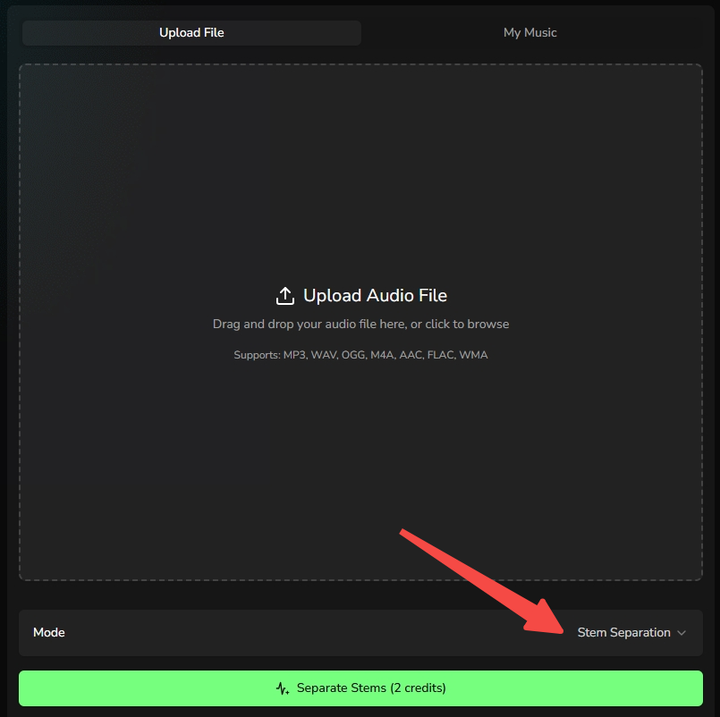
Open AI Vocal Remover or AI Stem Splitter and you will enter that mode directly. You can also click "Mode" to switch between Vocal and Stem modes anytime.
2 Upload your audio and start splitting
Upload an audio file, or click My Music to select a track from your workspace, then click the split button. In most cases, your results will be ready in about 1–2 minutes.
3 Preview adjust and download
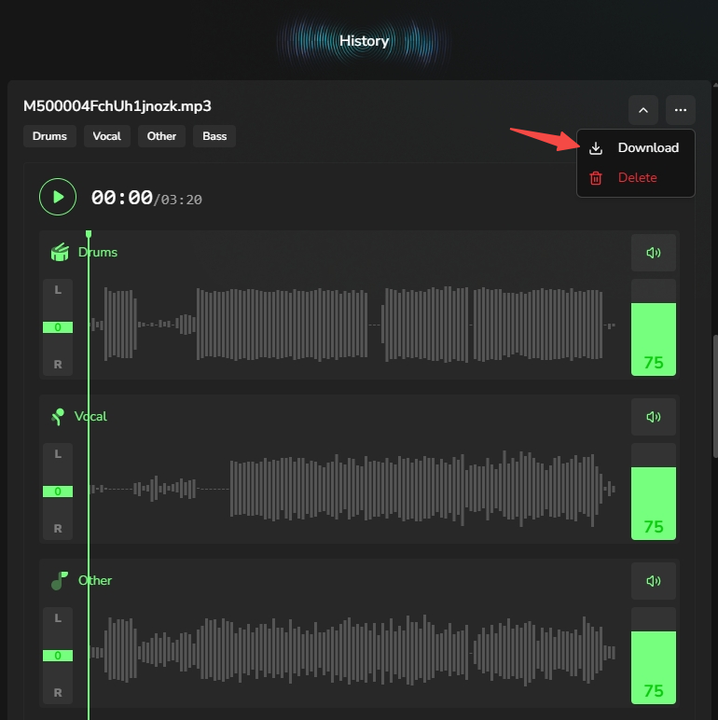
After processing, you will see the results in the History panel on the right. You can preview the separated tracks and adjust the volume of each stem to hear the separation quality.
When you are happy with the result, click the three dots in the top-right corner and choose Download.