Awaiting your prompt
What is AI Lyrics Studio?
The AI Lyrics Studio Built for Real Songwriters
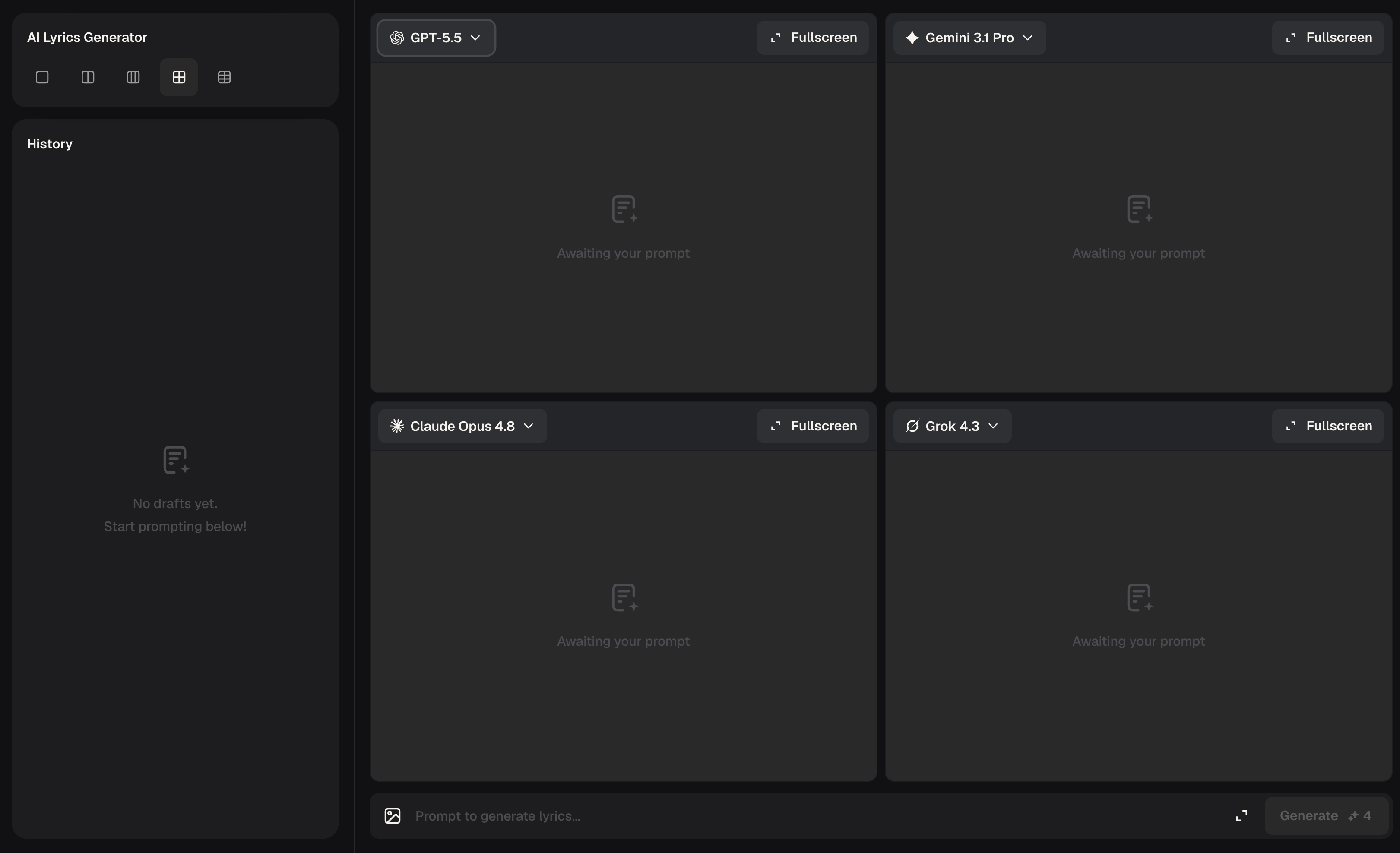
AI Lyrics Studio is a conversational writing environment where you input your creative direction, generate lyrics across multiple AI models, compare versions side by side, and fine-tune every line until it sounds exactly right. It solves the blank-page problem — even if you have zero songwriting experience, you can write song lyrics that feel intentional and complete. Once your lyrics land, send them straight into the music generation flow with one click.
How AI Lyrics Studio Works
From First Idea to Final Lyrics in Three Steps
AI Lyrics Studio turns your creative direction into polished, ready-to-use song lyrics through a tight loop of generation, comparison, and refinement — no prior writing experience needed.
1
Describe Your Song
Type what you have in mind — a theme, a mood, a story line, even just a feeling. The studio reads your input and sends it to multiple top-tier AI models simultaneously, so you get diverse lyric options from the very first generation.
2
Compare and Refine
Review versions side by side and keep what works. Tell the studio what to adjust — tighten the chorus, shift the perspective, punch up the rhyme scheme — and iterate in natural conversation until every line is where you want it.
3
Lock the Lyrics and Create Music
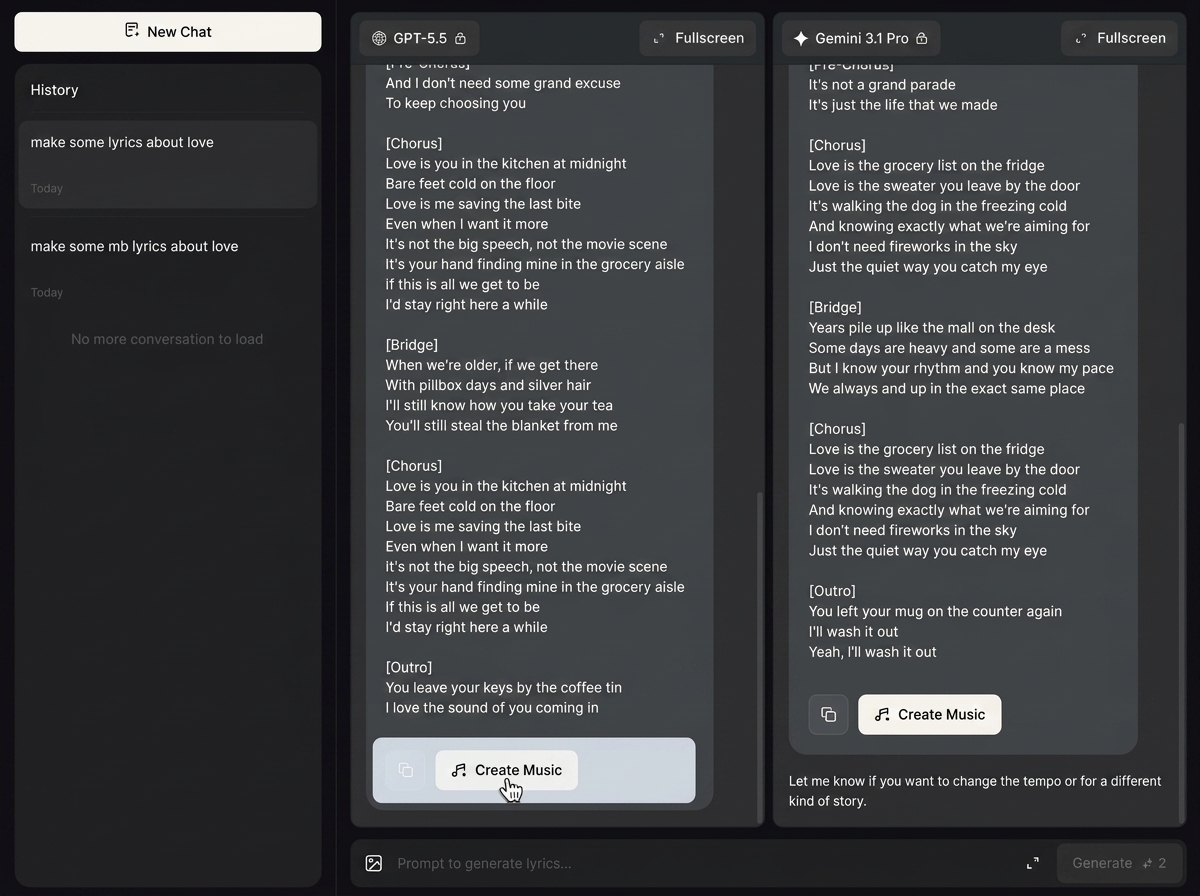
Once the lyrics are final, hit Create Music. The complete lyrics flow directly into MusicCreator AI's music generation engine, so your words become a full track without any extra steps in between.
Inside AI Lyrics Studio
Every Feature in AI Lyrics Studio Serves the Creative Process
AI Lyrics Studio packs multi-model generation, version control, and continuous AI song writing refinement into one focused workspace — built so you spend time on ideas, not on switching tools.
Multi-Model Lyrics Generation
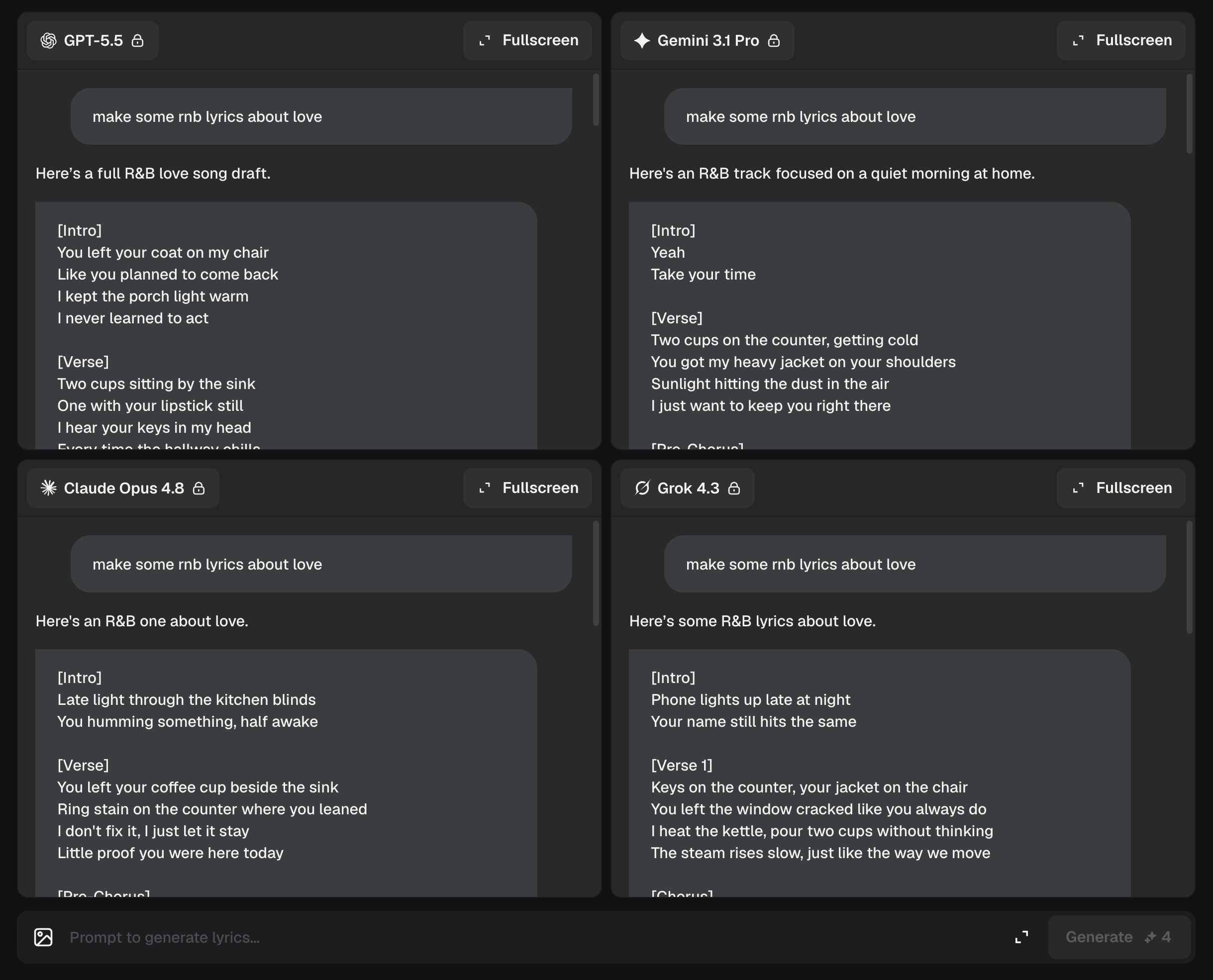
Run your prompt through eight state-of-the-art models at once and get meaningfully different lyric outputs in seconds. Comparing GPT-5.5 against Claude Opus 4.8 or Deepseek v4 Pro side by side shows you range you'd never see from a single-model AI lyrics generator — and makes the right choice obvious.
Continuous Conversational Refinement
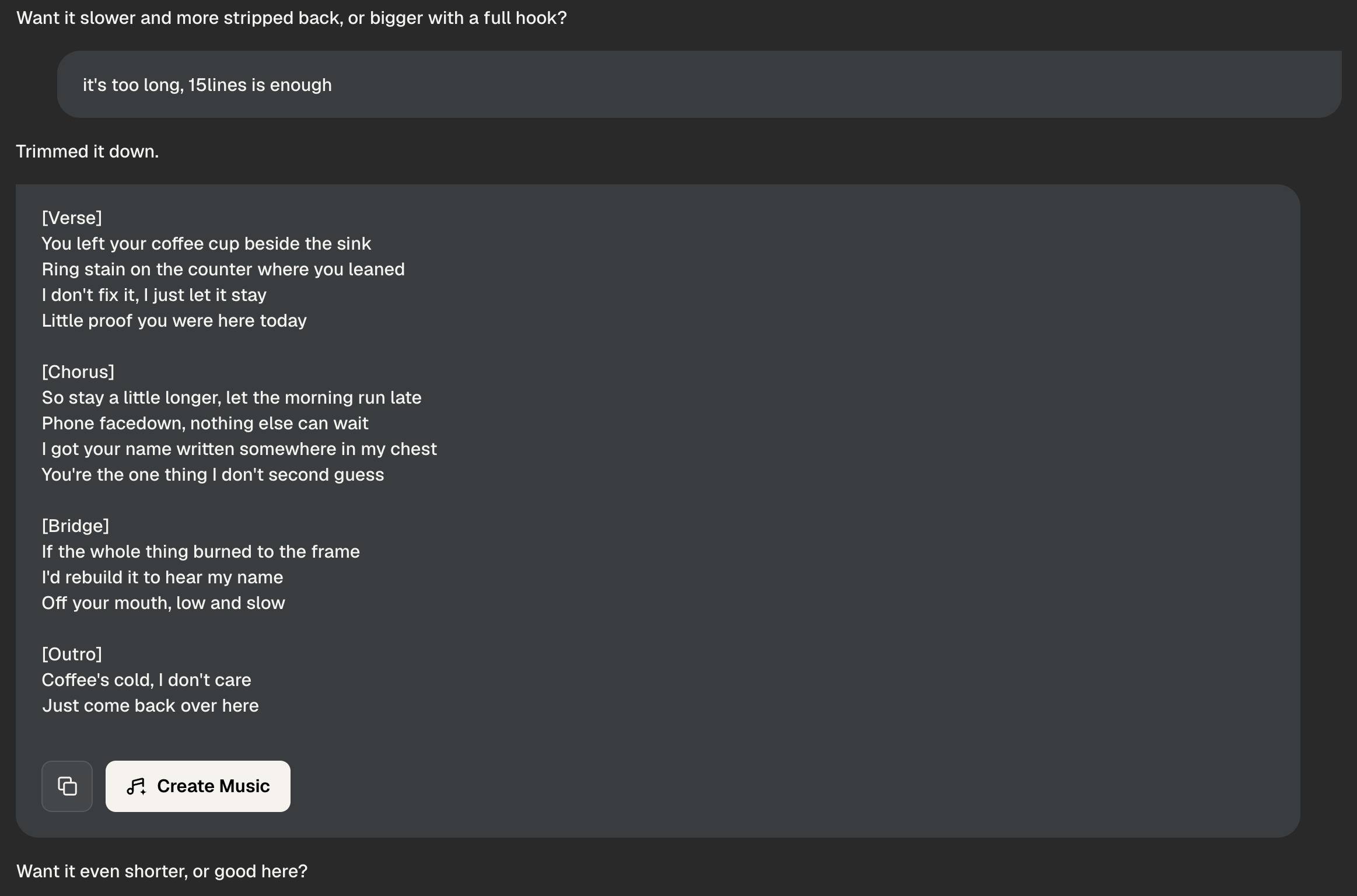
Keep the creative session alive with follow-up prompts. Ask for a darker second verse, a shorter pre-chorus, or a completely different rhyme pattern — the studio holds context and adjusts on the spot. This is what real AI song writing feels like: iterative, responsive, and under your control.
One-Click Music Creation
Locking in your lyrics is not the end — it's the handoff. Click Create Music and your full, confirmed lyrics move instantly into the music generation workflow. The integration means you write song lyrics and hear them in an actual track without leaving the platform or losing formatting.

Frequently Asked Questions
Which AI models are available for writing lyrics in the studio?
The studio currently supports GPT-5.5, Gemini 3.1 Pro, Claude Opus 4.8, Grok 4.3, Deepseek v4 Pro, Kimi 2.6, Qwen 3.7, and Mimo v2.5. You can run all of them on the same prompt and compare outputs before committing to any version.
Do I need songwriting experience to get good results from the studio?
No prior experience is required. The conversational interface lets you describe what you want in plain language — theme, mood, structure — and the AI handles the craft. Many users who have never tried AI song writing produce professional-quality drafts on their first session.
Can I use the lyrics I generate in commercial releases or monetized content?
Lyrics generated entirely by MusicCreator AI from your text prompts are royalty-free for your use. Review the full license terms in your account settings to confirm scope, especially for large-scale commercial distribution.
How does the studio handle version history across a long writing session?
Every generation is stored as a separate version automatically. You can name versions, revisit earlier drafts, and mix lines across iterations at any point in the session — nothing is overwritten unless you explicitly delete it.
What happens to my lyrics after I click Create Music?
Your confirmed lyrics are passed directly into the music generation pipeline with full formatting intact. The best online song generators usually require you to re-enter or reformat text — here, the transition is automatic and the lyrics appear exactly as you finalized them.

Open AI Lyrics Studio and Write Your First Song Today
Pick a model, describe your idea, and turn it into complete song lyrics ready for music production.
AI Song Writing • Royalty-Free Lyrics