Voice Splitter for Voice Memo Song Demos

Your best song idea might live in a phone voice memo: you singing over a guitar or piano, all on one track. A voice splitter pulls that recording apart into a vocal stem and a backing stem. Keep the vocal as your guide, relearn the part from the backing, check its key and tempo, then re-sing over a cleaner bed.

Split Your Demo
What
Your voice and your guitar or piano, as two stems
Input
MP3, WAV, OGG, M4A, AAC, FLAC or WMA
Rights
Songs you wrote, made or have permission to use

Why split a voice memo demo

A phone demo captures the moment a song arrives, but everything is glued together. You cannot turn the guitar down to hear a lyric, or mute your voice to work out what your hands played. Running the memo through a voice splitter gives you each half on its own, so the demo becomes material you can rebuild from.

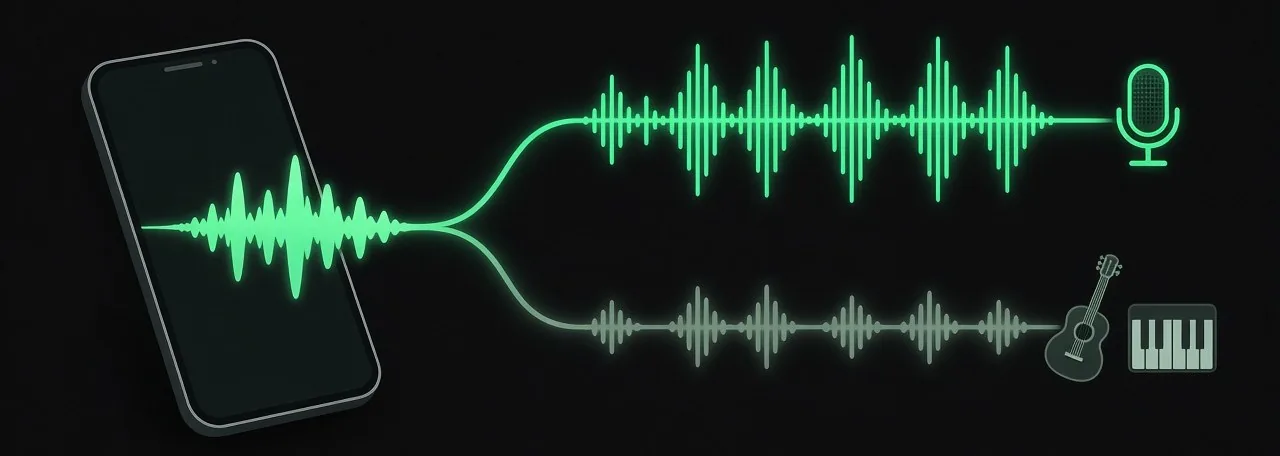
A phone with one mixed waveform that splits into two lanes, a bright vocal lane with a microphone and a softer lane with a guitar and piano keys

Two stems, two jobs

From the voice splitter, the vocal stem keeps your melody, phrasing and lyric exactly as you first sang them. The backing stem keeps the chords and rhythm you played. One guides the new vocal, the other teaches you the part again.

Use the voice splitter only on songs you wrote, made or have permission to use, such as your own demos or a co-write your partner agreed to.

Who splits their voice memos

Songwriters who capture ideas on a phone run into the same wall: the demo is good, but nobody can work from it. People are already looking for ways to clean these recordings up, as one producer wrote when asking others for test files.

“I’ve made a utility to clean up my phone recordings of voice memos songs with vocals / piano or guitar.”A producer on r/WeAreTheMusicMakers, August 2026
  • Singer-songwriters who wrote a song months ago and forgot the exact voicing
  • Writers who play guitar or piano well enough to demo, and want a proper take
  • Co-writers passing a rough idea to a bandmate who needs the chords alone

The voice splitter panel

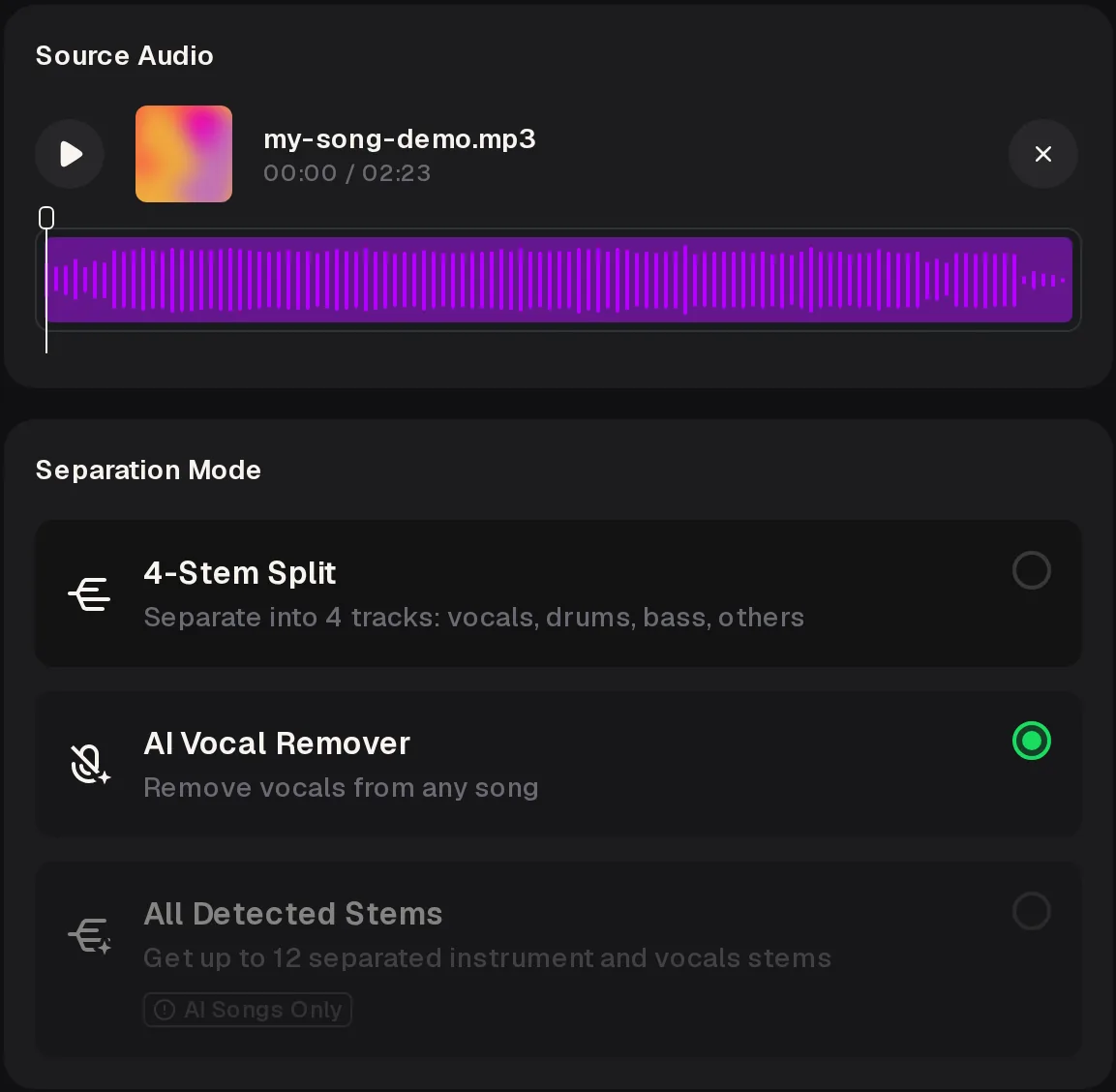
The AI Vocal Splitter has two parts: Source Audio for your memo and Separation Mode for how it is split. iPhone voice memos save as M4A files, which the upload box accepts alongside MP3 and WAV. Running the voice splitter needs a signed-in account.

Voice splitter panel with an uploaded my-song-demo.mp3 and its waveform, and Separation Mode with AI Vocal Remover selected and All Detected Stems greyed out
  1. Source Audio Upload Music, or pick a track From My Music. The file card shows its length and waveform.
  2. AI Vocal Remover Splits the memo into a vocal and an instrumental, which suits voice plus one instrument.
  3. 4-Stem Split Gives vocals, drums, bass and others; a lone guitar or piano lands in others.
  4. All Detected Stems Works only on songs made on MusicCreator, so it stays greyed out for an uploaded memo.

What to do with each stem

Once the split finishes, the two stems lead to four jobs. Work through them in this order after the voice splitter has done its part, because each one feeds the next and the vocal stem stays useful right to the end of the session.

Vocal stem as reference

Loop it while you write out the lyric and melody. It is the most honest record of how the song first felt, including phrasing you may want to keep.

Backing stem to relearn

Play along until your hands find the chords and strumming or voicing again, without your own voice covering the instrument.

Key and tempo check

Upload the backing stem to the free Key & BPM Finder, which reads the key, a Camelot code and the BPM. Files can be up to 10 minutes and 20 MB.

Re-sing over a clean bed

Record a new guitar or piano take at that tempo, then sing over it with the old vocal stem in one ear as a guide.

Split one memo tonight

Upload a voice memo of a song you wrote to the voice splitter, choose AI Vocal Remover, and keep the vocal and backing stems as the start of a proper recording.

Open the Vocal Splitter

Re-recording over the split

The stems from the voice splitter are a starting point, not the finished recording. A few habits make the new take feel like the song you first wrote rather than a careful copy of the phone demo.

Start with the instrument. Record the guitar or piano part first, at the tempo from the Key & BPM Finder, with the old backing stem low in your headphones so you match the feel rather than every note.

Then sing. Put the old vocal stem in one ear and your new backing in the other for the first pass, and drop the guide once you know the lines. Keep any phrasing from the memo that still sounds right.

What the voice splitter cannot do

A phone demo can only be split so far. These are the limits of the AI Vocal Splitter for this job, each with the closest workaround on MusicCreator or in your own recording setup.

One combined vocal stem

The voice splitter puts all singing in one Vocals stem. It cannot separate a lead from backing vocals, or one singer from another, so a duet memo cannot be split into two voices.

Workaround: Record each singer again on their own over the backing stem.

Guitar and piano together

AI Vocal Remover in the voice splitter keeps every instrument in one instrumental stem.

Workaround: If your memo has both, use 6-Stem Split on the AI Stem Splitter, which lists guitar and piano as separate stems.

Room sound stays in

Echo, traffic and phone noise in the memo can stay on either stem from the voice splitter.

Workaround: Treat the stems as guides and record the final take in a quiet room.

Voice splitter FAQ

Does the voice splitter work on iPhone voice memos?

Yes, as long as you upload the audio file. iPhone voice memos usually save as M4A, and the voice splitter upload box accepts M4A along with MP3, WAV, OGG, AAC, FLAC and WMA. Share the memo from the phone to your files or email, then upload it in your phone browser or on a computer. Upload the original recording rather than a screen recording, because the original keeps the best sound.

Which mode should I pick for voice and guitar?

Pick AI Vocal Remover in the voice splitter. It splits the recording into a vocal and an instrumental, and with one guitar the instrumental is simply your guitar part. 4-Stem Split also works, but a lone guitar or piano ends up in the others stem next to empty drums and bass stems. If the memo has guitar and piano together, use 6-Stem Split on the AI Stem Splitter so each instrument gets its own stem.

Can it split a duet into two voices?

No. The voice splitter puts every voice into one combined Vocals stem, so it cannot separate a lead from harmony or one singer from another. A duet memo comes out with both singers together on the vocal stem and the instruments on the other. To get each part on its own, record the singers one at a time over the backing stem, which also gives you cleaner takes to work with.

Do I need an account, and what does it cost?

You can open the voice splitter and upload a memo without signing in, but separating it needs a signed-in account. New users get free credits after a quick sign-up. The credit cost of a split is not shown before you sign in, so check the panel once you are logged in. Free users can download a limited number of songs, and paid plans download MP3, WAV and FLAC. Signed in, the voice splitter can also take a track From My Music instead of an upload.

Can I split a song that someone else wrote?

Only if you have permission. The voice splitter is for songs you wrote, made or have permission to use: your own voice memos, a co-write your partner agreed to, or a song a writer has cleared for you. Splitting a recording does not change who owns the song. If you plan to release a new recording of a co-written song, agree the details with every writer first.

rebuild your demo from its stems

Run the voice memo through the voice splitter for vocal and backing stems, check the key and tempo, and record the take your song deserves.

Split a Voice Memo
Voice Splitter for Voice Memo Song Demos