Introduction: Where Words Become Worlds
In the realm of digital creation, the gap between imagination and execution has never been narrower. For writers, game developers, and animators, the initial spark of inspiration often begins with a simple sentence. However, transforming that sentence into a tangible, immersive world—with both visual assets and an evocative soundtrack—has historically been a fragmented and labor-intensive process.
Imagine you are writing a fantasy novel and you envision a "Crystal Wyvern soaring over a bioluminescent swamp." You can see it in your mind, but bringing it to life usually requires a 3D artist for the model and a composer for the score. This is where the synergy between Tripo and Music Creator AI changes the game.
By leveraging a seamless workflow that connects textual narrative to 3D geometry and then to musical composition, creators can now generate cohesive audio-visual assets in minutes. This guide will walk you through a revolutionary pipeline: starting with text, generating a 3D model, extracting the "soul" of that model into lyrics, and finally composing a custom soundtrack.
Product Overview: The Dynamic Duo
Before diving into the workflow, let's understand the roles of our two key players.
Tripo: The 3D Architect Tripo is a state-of-the-art 3D generation engine that specializes in converting text and images into high-fidelity 3D models. In this pipeline, Tripo acts as the visual interpreter. It takes your abstract textual ideas and gives them form, texture, and dimension. Whether you need a high-poly (HD) model for cinematic rendering or a smart mesh for rapid prototyping, Tripo bridges the gap between language and geometry.
Music Creator AI: The Sonic Poet Music Creator AI is a generative music platform that understands the emotional context of visual and textual inputs. In this workflow, it serves as the auditory translator. It doesn't just generate random noise; it analyzes the visual data derived from your 3D model to generate meaningful lyrics and melodies that match the atmosphere of your creation.
The Workflow: A Step-by-Step Guide to Audio-Visual Alchemy
This is the core of our process. We are going to create a synchronized asset where the music is a direct reflection of the 3D model, which in turn was born from your original text.
Phase 1: Conception — Turning Text into 3D Reality with Tripo
The journey begins with a thought. The more vivid and descriptive your text prompt, the more accurate the visual and sonic interpretation will be.
-
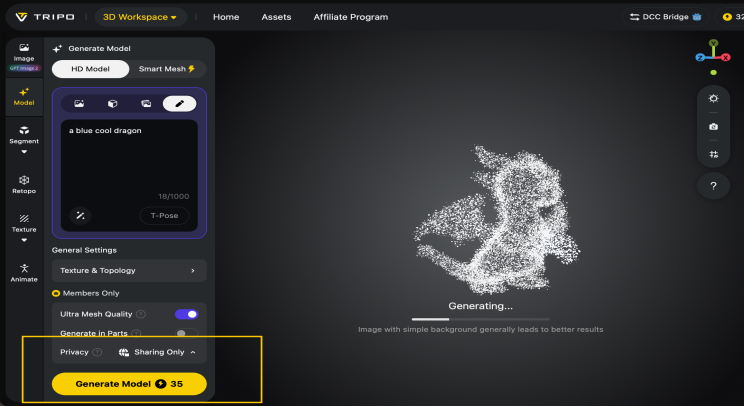
Generating in Tripo: Head to the Tripo Studio and select the "Text-to-3D" generation mode. Paste your detailed prompt into the input box.
-
Choosing Fidelity: Depending on your use case, select either HD Model (for high-detail renders and cinematics) or Smart Mesh (for faster generation and game engines).
-
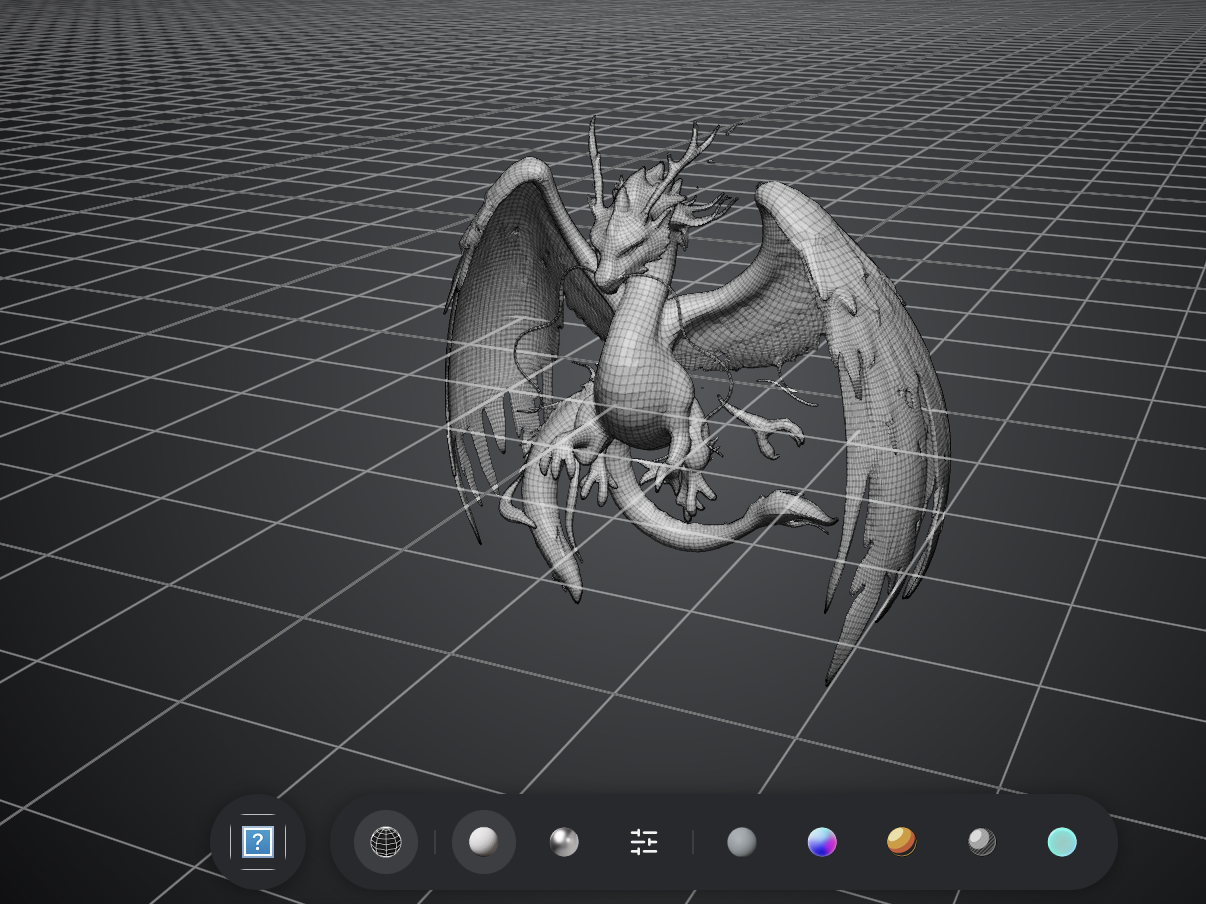
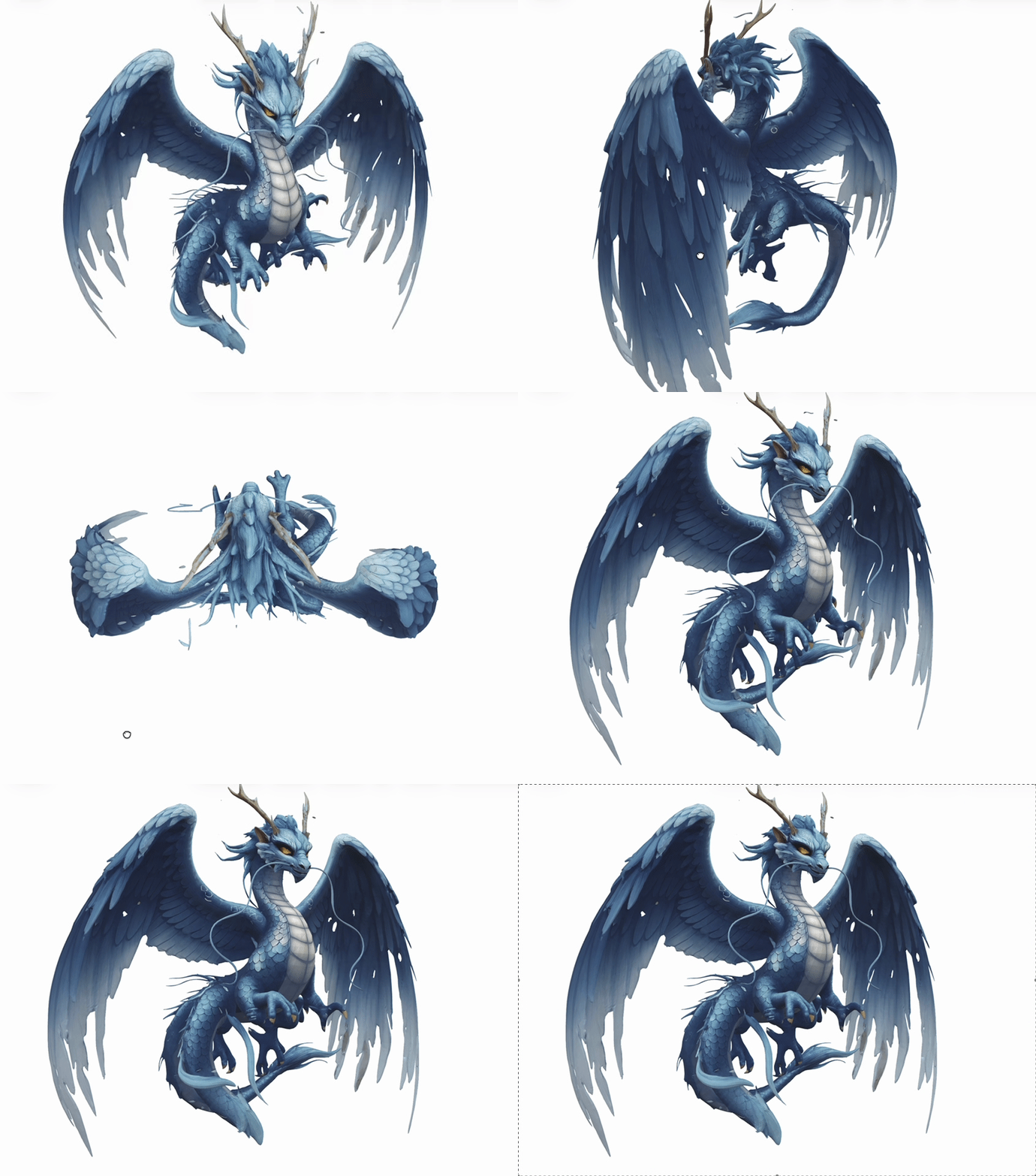
Refinement: Once Tripo generates the initial mesh, use the editing tools to refine textures or adjust the topology if necessary. The goal here is to have a visually compelling model that accurately represents your textual vision.
At this stage, you have successfully materialized your idea into a digital 3D object.
Phase 2: Interpretation — Transmuting 3D Vision into Lyrics
Now comes the magical part. We need to translate the visual data of the 3D model into a language that Music Creator AI can understand: lyrics.
-
Rendering the Essence: Take a high-quality screenshot or use Tripo's built-in rendering tools to generate a 2D image that captures the lighting, mood, and structure of your 3D model. Ensure the background is clean and the subject is well-lit.
-
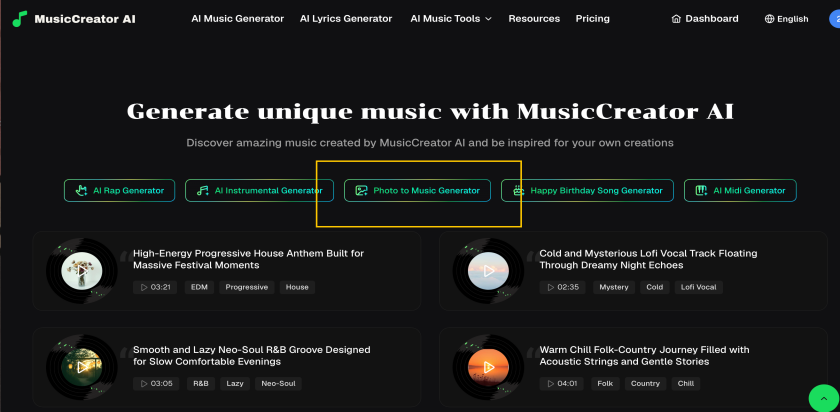
Feeding the AI: Upload this rendered image to Music Creator AI. Instead of writing lyrics manually, use the "Photo to Music" feature. The AI will analyze the colors, shapes, and composition of your image.
-
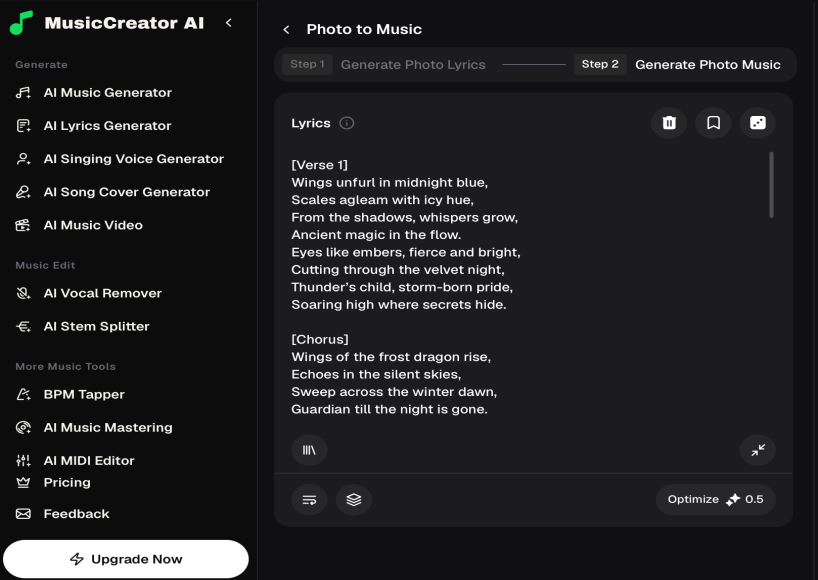
Generating Lyrics: The AI will interpret visual data.
Phase 3: Composition — From Lyrics to Masterpiece
With lyrics that perfectly describe your 3D model, you are now ready to compose the final score.
-
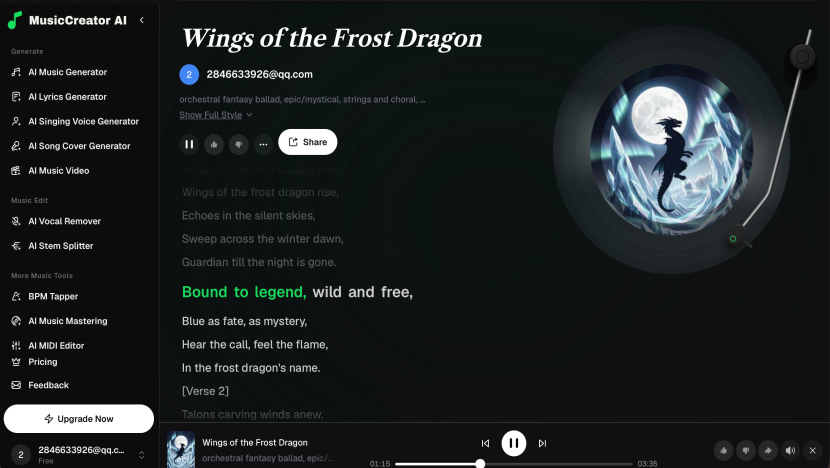
One-Click Generation: Click generate. Music Creator AI will use the lyrics as a narrative guide to compose the melody, harmony, and rhythm.
-
Final Output: Within seconds, you will have a unique audio track. The result is a song that sonically mirrors the visual traits of the model—high-pitched chimes for the crystal wings, deep rumbles for the swamp, and a soaring chorus for the flight.
Use Cases: Applications of the Narrative Loop
This workflow isn't just a novelty; it is a powerful tool for various industries.
Game Development & Asset Creation Game designers can rapidly prototype not just the look but the feel of a game asset. Generate a 3D model of a new enemy, and instantly get a theme song that defines its character. This allows for faster iteration of game feel and audio design during the early development stages.
Animated Short Films & Cinematics For animators, sound drives editing. By generating a 3D scene and then creating a custom track from it, you can edit your visuals to the beat of a song that was literally made for that specific scene.
Dynamic Content for Social Media Content creators can use this to make "Storytime" videos or dynamic wallpapers. Generate a 3D object, get a song that describes it, and create a looping video where the audio and visual elements are perfectly synchronized.
Best Practices for Optimal Results
To ensure your audio-visual assets are of the highest quality, keep these tips in mind:
-
Be Specific with Text: The more descriptive your initial text prompt in Tripo, the better the model, and consequently, the better the lyrics.
-
Lighting is Key: When rendering your 3D model for the "Photo-to-Music" step, use dramatic lighting. Music Creator AI interprets bright colors as happy/energetic and dark colors as sad/mysterious.
-
Edit the Lyrics: While the AI is powerful, don't hesitate to tweak the generated lyrics slightly to add a personal touch or correct any misinterpretations before generating the final track.
-
Match the Genre: Ensure the music genre you select in Music Creator AI aligns with the visual style generated by Tripo (e.g., don't pick "Heavy Metal" for a cute cartoon animal unless that's the intended contrast).
Final Result: Your Immersive Universe
By following this workflow, you have transcended the limitations of single-modality AI tools. You started with a simple text string and ended with a multi-sensory experience.
You now possess:
-
A 3D Model of your creation, ready for export to game engines (Unity/Unreal) or 3D printing.
-
A set of Custom Lyrics that poetically describe the visual essence of your model.
-
A Full Musical Track that serves as the perfect auditory companion to your visual asset.
This is the future of content creation: a seamless loop where sight and sound are born from the same digital spark.
CTA: Start Your Creative Experiment
Stop imagining what could be, and start creating it. Try this "Text-to-Symphony" workflow today and see how easy it is to build a cohesive world.
-
Describe it: Use Tripo to turn your wildest ideas into 3D models.
-
Hear it: Use Music Creator AI to generate the soundtrack that brings those models to life.
Try Tripo Now | Try Music Creator AI