The singer hearing a new range
A vocalist trains My Voice, then runs a voice swap on a demo they wrote, to hear how their own timbre carries a melody first recorded by a bandmate.
Two jobs · one song
An AI cover gives a song you hold rights to a new version in one of two ways. Swap the singer and the melody stays. Restyle it and the genre changes. Pick one first.
Free credits after a quick sign-up · works in a desktop or phone browser
The vocal is replaced; melody, words and backing stay as recorded.

A new genre, mood or arrangement built from the track you add.
Most people searching for an ai cover song picture a famous voice. The useful question is narrower: which part of your song should change, and which part has to stay exactly as it is?
Choose the voice swap. The Song Cover Generator separates the original vocal and sings the same melody in a new voice, either a library voice or a voice you trained yourself.
Choose the restyle. The AI Music Remixer takes your track plus a Styles description, such as an acoustic ballad or a funk groove, and builds a fresh version around it.
Only the restyle route has a Lyrics box, so new or corrected words belong there. A voice swap keeps the words that are already sung.
Train My Voice on your own singing first. Then every voice swap can use it, which is how an ai cover song with my voice gets made.
Both routes start from a song you add, and both save results to My Workspace. The difference is what they are allowed to touch, and which controls you get to shape the result.
| Voice swap | Restyle | |
|---|---|---|
| What changes | The singer | Genre, mood, arrangement |
| What stays | Melody, words, backing | The song you add as the source |
| Tool | Song Cover Generator | AI Music Remixer |
| Source audio | Upload Music or From My Music | Local File or My Music, 3 seconds to 8 minutes |
| Main controls | Voice Model, vocal and backing volume, reverb | Styles, Lyrics, Instrumental, Vocal Gender |
| Fine tuning | Song pitch, breathiness, voice similarity | Weirdness, Style Influence, Audio Influence |
| Your own voice | Yes, with My Voice | No; run a voice swap afterwards |
Want both? Restyle first, then pick the new version From My Music in the voice swap. That two-pass order is how a single ai music cover generator session can end with a new arrangement sung in your own voice.
Each panel asks for a song first and the creative choices second. These crops show the part of each panel you fill in before you press the button.
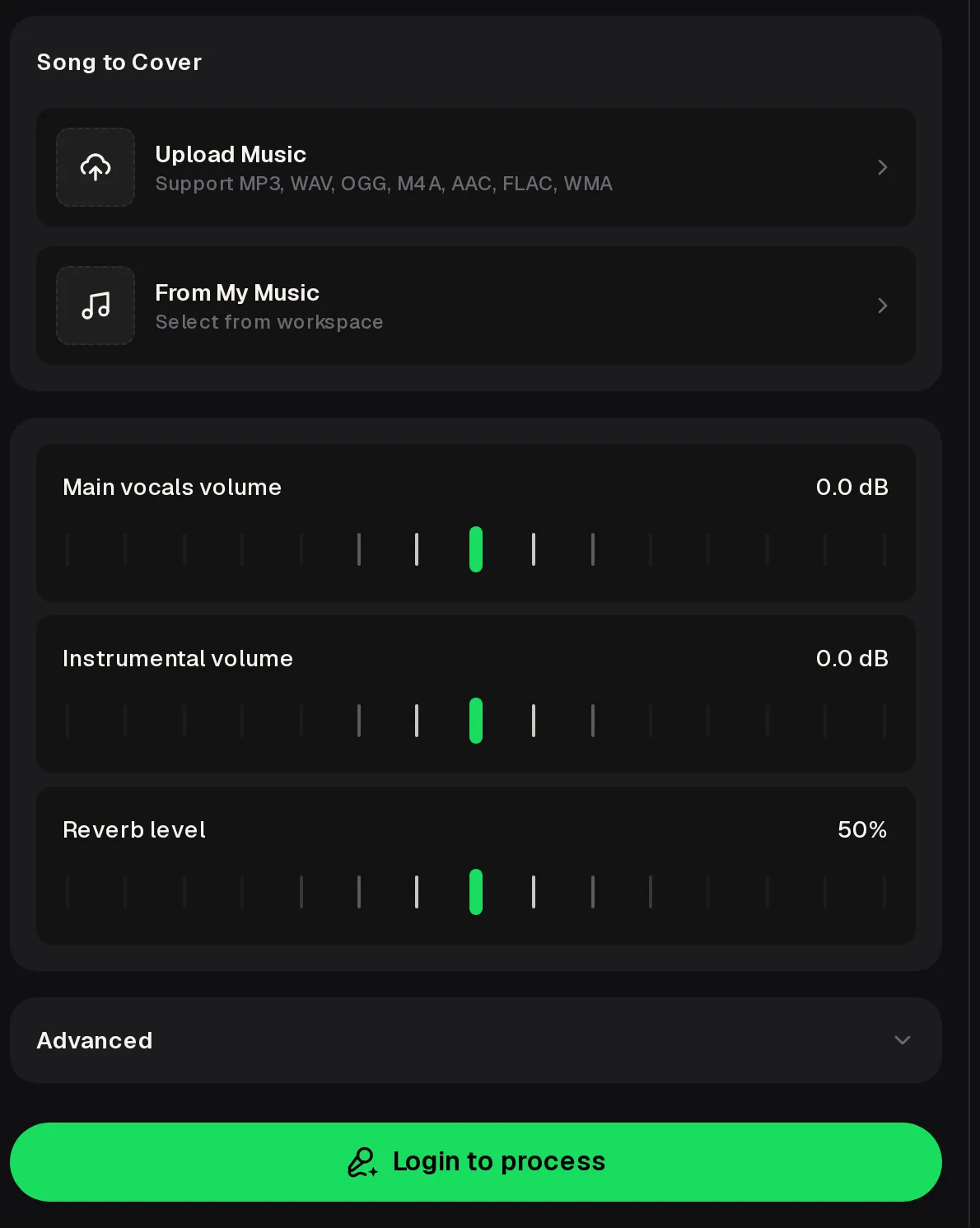
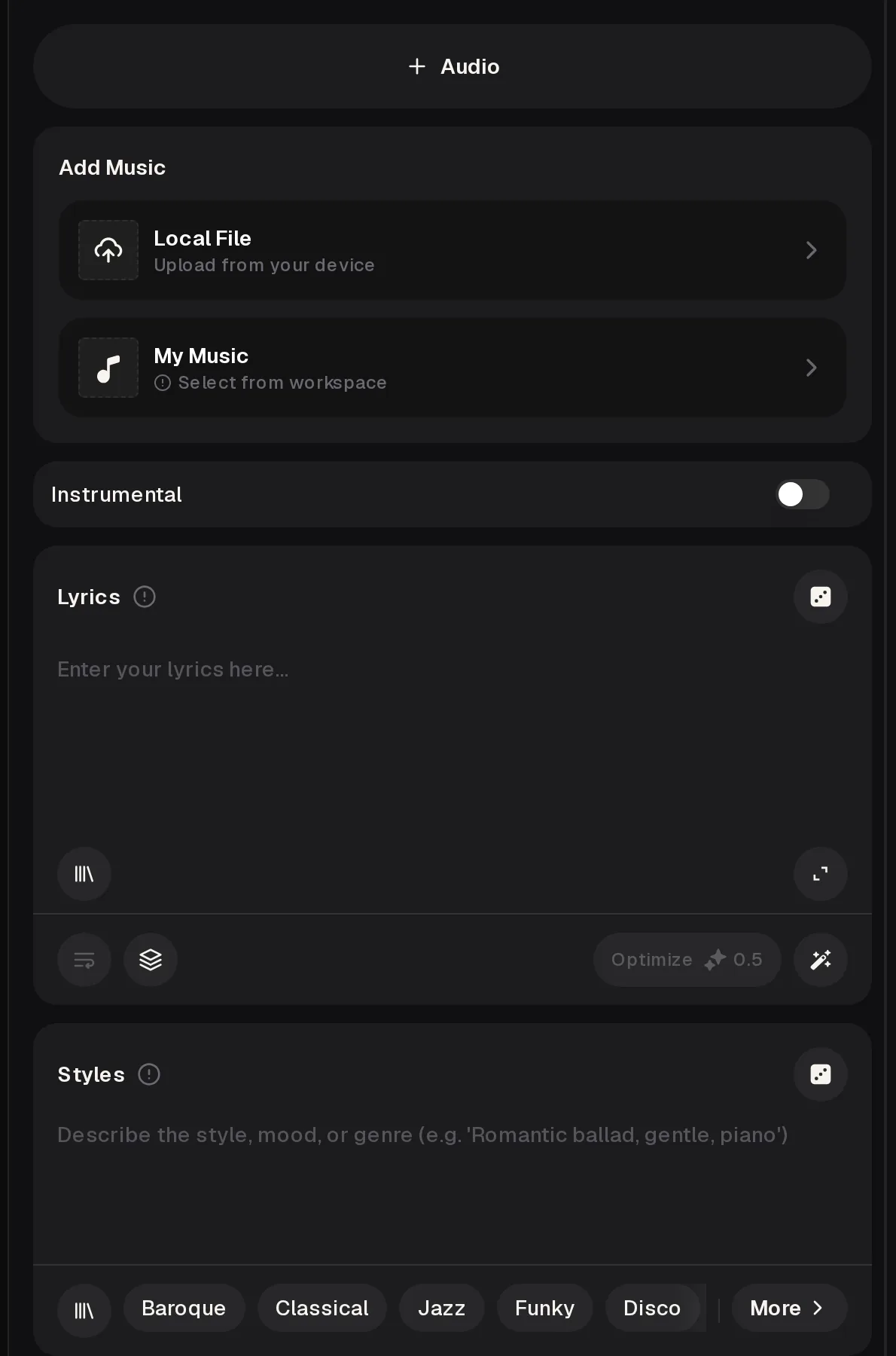
The order matters more than any slider. Settle the rights and the route before you spend credits, and keep the original file safe so you can always compare.
Use a song you wrote, made on MusicCreator, or have written permission for. Uploads to the remixer ask you to confirm that before they go through.
Voice swap when only the singer should change; restyle when the genre, mood or words should change. Use both, in that order, for a full remake.
In the AI Singing Voice Generator, upload, record or separate a clean vocal: one minute minimum, ten recommended, thirty at most.
Play the cover and the source back to back. Nudge vocal volume or reverb in the voice swap, or Style Influence in the restyle, and run again.
Paid plans download MP3, WAV and FLAC; free users can download a limited number of songs from their free credits.
The strongest projects start from a song the maker already owns. These three come up again and again, and each uses a different route.
A vocalist trains My Voice, then runs a voice swap on a demo they wrote, to hear how their own timbre carries a melody first recorded by a bandmate.
A writer restyles a finished pop song into a slow acoustic take and a club version, so a pitch email carries three moods of one song instead of one.
A channel owner restyles their sung intro theme for a holiday special, then voice swaps it with My Voice so the host still sings it.
Covers are where rights matter most. The line is simple: your song, your voice, or clear permission for both. Failed generations usually refund their credits.
An AI cover is a new version of an existing song made with AI. On MusicCreator it is one of two jobs. A voice swap keeps the melody, words and backing and replaces the singer with a library voice or your own trained voice. A restyle keeps the song as the source and rebuilds it in a new genre, mood or arrangement, with lyrics you can edit. Decide which part should change before you start.
Yes. Train My Voice in the AI Singing Voice Generator by uploading, recording or separating a clean solo vocal. One minute is the minimum, ten minutes is recommended and thirty is the most it takes. Once the model is ready, choose My Voice in the Song Cover Generator and run the cover. The cleaner and drier the training audio, the closer the result tends to sound to you.
You get free credits after a quick sign-up: the free plan gives 30 credits a year, and each generation uses credits from that balance. Free users can download a limited number of songs. Paid plans download MP3, WAV and FLAC, including songs you made on the free plan, and you can also buy Pay Once credits. Unused plan credits reset on the renewal date rather than rolling over.
Cover songs you wrote, recorded or made on MusicCreator, or songs you have clear written permission to cover. When you upload a file to the AI Music Remixer you confirm you own the rights or have permission, and you stay responsible for that. An ai cover of songs by other artists, without their permission, is not something to post or release, however good it sounds.
Not in a voice swap, which keeps the words already sung and only changes the voice. To change or fix words, use the restyle route: the AI Music Remixer has a Lyrics box where you write what the new version should sing. If you want new words in your own voice, restyle with the new lyrics first, then pick that result From My Music and run a voice swap with My Voice.
Monthly and annual plans include commercial rights within the scope of the Commercial License, and the licence sits in each song's Downloads menu. On monthly plans and Pay Once credits the certificate costs 5 credits per song; on annual plans it costs nothing extra. The licence covers what MusicCreator generates, so the underlying song still has to be yours or properly licensed before you release the cover.
Add a song you own, choose whether the singer or the style should change, and compare the result with your original before you keep it.
Free credits after a quick sign-up · restyle lives in the AI Music Remixer