Voice Remover for Backing Tracks
For singers who need a clean backing track to practise and perform. You know the song, you know your key, but the version you love has someone else singing all over it. Without a voice remover, finding a decent instrumental can take longer than learning the melody.
When you need a backing track, this voice remover takes the lead vocal out of the recording you already have, so you can rehearse, record a cover or perform with the band sound behind you and your own voice in front.

What the voice remover gives you
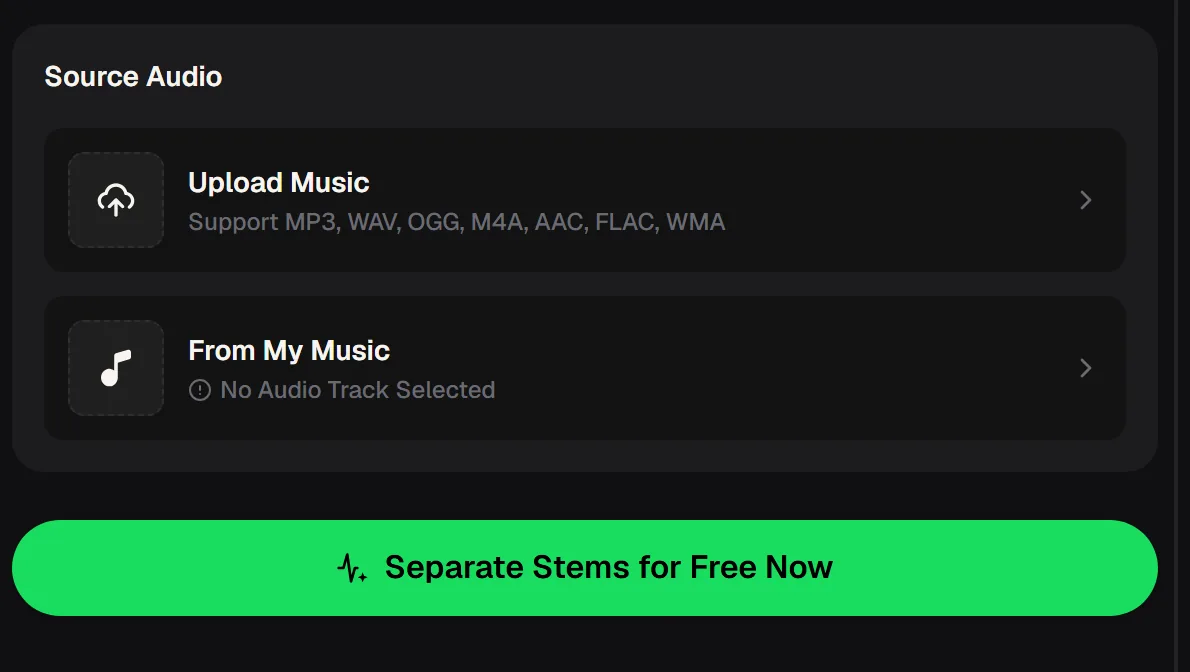
Upload a song or choose one from My Music, and the voice remover separates it into two files: an instrumental with the lead vocal taken out, and the isolated vocal on its own.
Singers usually reach for the instrumental first, but the vocal track is worth keeping too. Listening to the original singer alone is one of the best ways to study phrasing, breaths and harmonies before you put your own spin on a song.
Singers who reach for a voice remover
Very different singers end up needing the same thing: the song without the original voice. Whether you are rehearsing alone, working with a teacher or preparing for a live slot, a backing track built from the real recording keeps the feel of the arrangement you fell in love with. Here are three people who rely on that every week.
The student
Brings an instrumental to every lesson so the teacher can focus on technique instead of playing the accompaniment.
The cover artist
Records covers at home over the original band sound, then shares them with friends and followers.
The gigging singer
Runs a set of backing tracks at cafés, weddings and open mics when a full band is not an option.
Building a practice set with the voice remover
A good practice set does not appear the night before a performance. Spread the work over a week and you will know every song inside out. The voice remover handles the backing tracks, which leaves your practice time for what actually matters: pitch, breath, dynamics and the story you want each song to tell.
Pick and prepare
Choose your songs and run each one through the voice remover.
Study the vocal track
Listen to the isolated vocal to learn phrasing and breathing points.
Sing over the instrumental
Rehearse each song with the backing track and record yourself.
Run the full set
Play the instrumentals in order and sing the whole set start to finish.
Upload the first song on your list to the voice remover and take the original singer out, so tonight's practice runs over the real band.


What to expect from a vocal-free backing track
The voice remover works best on songs where the lead vocal sits clearly above the band. Dense mixes, heavy reverb and stacked backing vocals can leave faint traces in the instrumental, which you may hear in quiet passages. For practice that rarely matters. For a performance, play the track through once on the speaker you will use and decide whether it is ready.
- Keeps the original arrangement and band feel
- Gives you the isolated vocal for study
- Accepts common formats, including WAV and FLAC
- Does not change the key of the song
- Does not give you rights to perform or publish the song
Getting a backing track ready for a live set
Once the voice remover has done its job, a few minutes of preparation turn a raw instrumental into a track you can trust on stage. None of this needs special equipment, just your laptop or phone, a pair of headphones and the speaker you plan to perform with. Do it once per song and your whole set will run smoothly.
Trim the start
Cut any silence before the first note so the band starts when you press play.
Match the levels
Make every track in the set roughly the same loudness so you are not adjusting volume between songs.
Name files clearly
Number the instrumentals in set order, so the right song is always next in your player.
Test on the real speaker
Play each instrumental through the speaker you will use and listen for vocal traces in quiet parts.
Keep a backup
Store the set on a second device in case your phone or laptop lets you down.
Voice remover questions from singers
Answers to what singers ask before they make their first backing track. For current plans, the pricing page has the details.
Is this voice remover free to use?
Yes, you can start with it as a free voice remover: 30 free credits a year come after a quick sign-up, so you can test a song before deciding on a plan. Each tool shows its credit cost on the button before you run it. For the plans available today and what they include, see the pricing page. Try it first on a song you know well, so you can judge the result with confidence.
Does a voice remover really work on any song?
The voice remover works on most commercial recordings, but results vary with the mix. Songs with a clear, upfront lead vocal usually give the cleanest instrumental. Very dense productions or vocals soaked in reverb can leave faint traces. Listening to both the instrumental and the isolated vocal tells you quickly how clean the separation is for that particular song.
Can I change the key of the backing track?
The voice remover separates the vocal from the music; it does not transpose. If a song sits too high or too low for you, use a pitch-shift feature in your audio editor or practice app on the instrumental file (paid plans can download MP3/WAV), and keep the shift small so the backing still sounds natural.
Can I perform or post covers using the instrumental?
Running a song through the voice remover does not change who owns the song. Performing in public or posting a cover online can require permission or licences from the rights holders, depending on where and how you use it.
What file should I upload for the best backing track?
Use the highest-quality copy of the song you have, even for a quick test with the free voice remover. A WAV or FLAC file usually separates more cleanly than a small, heavily compressed MP3, because compression artefacts can become more audible once the vocal is gone. The voice remover accepts MP3, WAV, OGG, M4A, AAC, FLAC and WMA.
A week of practice over the real arrangement will do more for your confidence than any amount of singing along to the original. Your next set can start today with a single upload to the voice remover online.
Your voice, their band
Upload the song you want to sing, take the original vocal out, and rehearse over the real arrangement. Keep the vocal track to study the phrasing.