Mix referencing, one part at a time
Stem Extractor for Checking Your Mix Against References
Whole-mix A/B tells you something is off, not what. A stem extractor splits your bounce and a reference you are allowed to use into drums, bass, vocals and the rest, so you can compare kick with kick and vocal with vocal. Then fix the part that is wrong instead of reaching for the master bus.
“Split my-mix-draft and genre-reference with 6-Stem Split, then compare drums with drums.”
Split Your MixWhy Reference in Stems Instead of Full Mixes
Short answer: a full mix hides which part is causing the problem.
Why does my mix sound small next to the reference?
Often one part is off, not everything. With drums against drums from a stem extractor, you hear straight away whether your kick is thin or your snare is buried.
Is the vocal too loud or the band too quiet?
A full-mix comparison cannot tell those apart. Comparing the vocal stems from a stem extractor, then the drum stems, can.
Why not just trust the meters?
Meters show level, not balance. Two songs can read the same loudness while the bass in one sits far above the other.

“I usually think of reference tracks in bits. Like I have one artist that I really like the kick drum on. Another for guitar tone, one for drum overhead levels.”
r/mixingmastering comment
“Mix using references to learn your room. a/b regularly. If you can, find acapella versions or make with high quality stem splitter.”
r/audioengineering comment
Who Uses a Stem Extractor for Referencing
Short answer: anyone mixing their own songs who wants a stem extractor as a second pair of ears.
| When I… | I want to… | So I can… |
|---|---|---|
| finish a bedroom mix and it feels flat | compare my drum stem with a reference drum stem | fix the kick and snare before touching the master |
| get a mix back from an engineer | hear my vocal next to the vocal in my rough mix | give clear notes instead of “it sounds different” |
| start mixing in a new genre | split a reference I made in that genre | learn how loud each part usually sits |
| only have the bounce of an old version | extract stems from the first and latest versions | find out what I lost along the way |
In every row the stem extractor plays the same part: it turns two finished files into matching sets of parts. The listening and the decisions stay with you.
Three Screens From Stems to Master
Short answer: upload, choose how many parts, compare, then master with your reference if you want to.
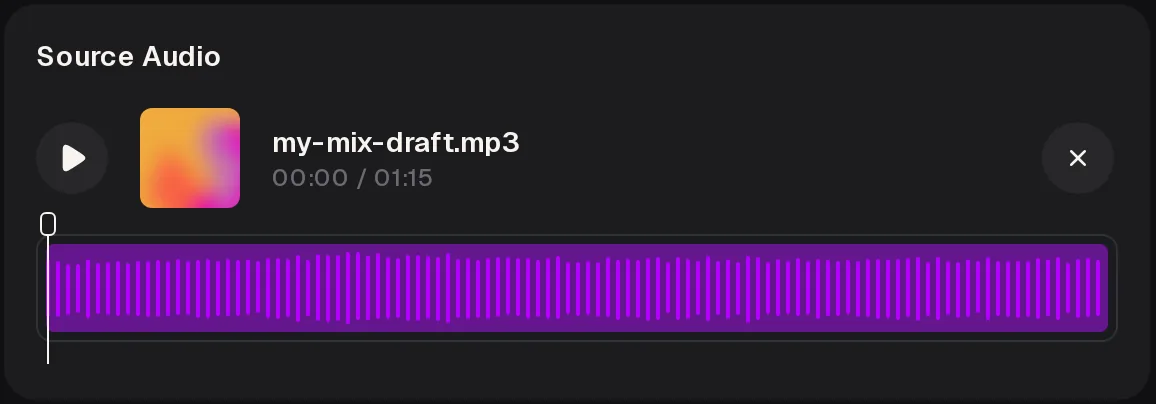
1. Load One Bounce Into the Stem Extractor
Upload your mix as MP3, WAV, OGG, M4A, AAC, FLAC or WMA, or pick a song from My Music. Name files clearly, such as my-mix-draft, so the stems stay easy to match later.
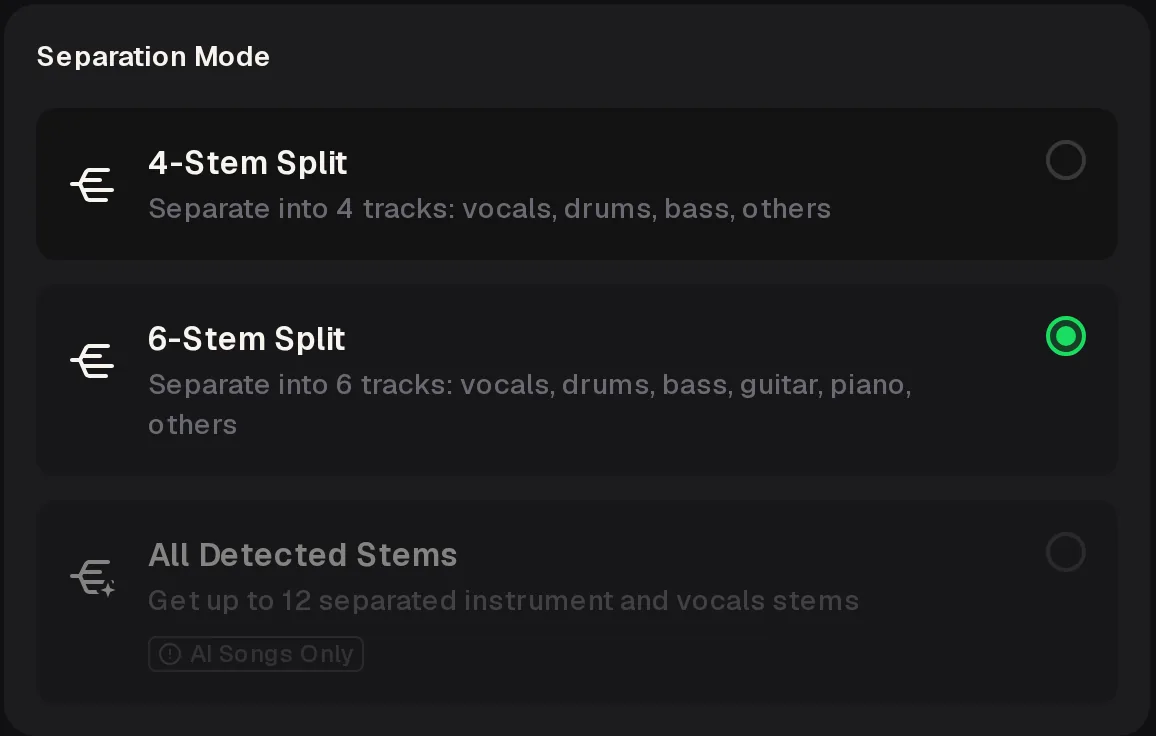
2. Choose How Many Parts
In the stem extractor, 4-Stem Split gives vocals, drums, bass and others. 6-Stem Split adds guitar and piano. All Detected Stems gives up to 12 parts, but only for songs made on MusicCreator.
Use the same mode for your mix and the reference, or the parts will not line up.
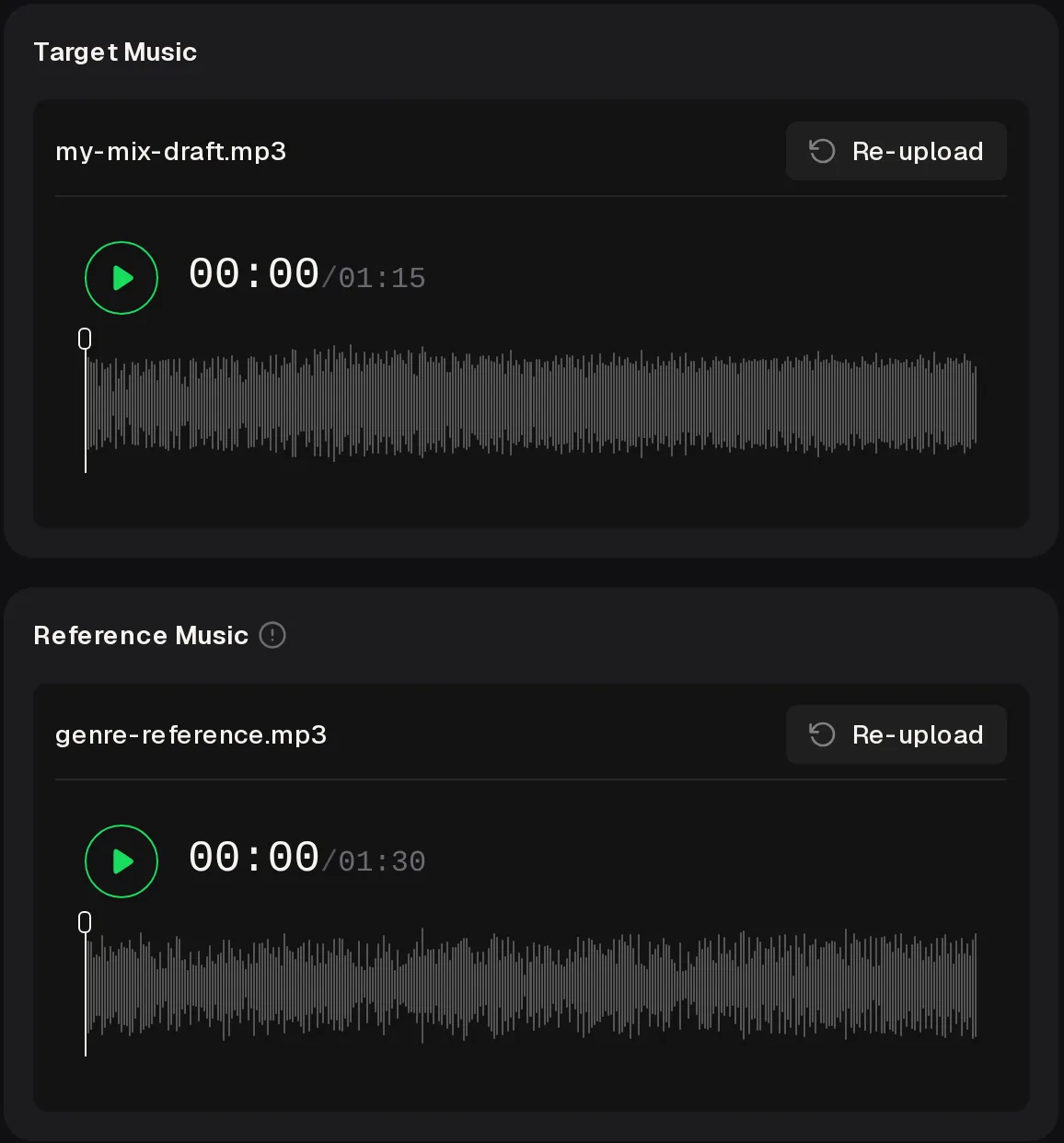
3. Master Against the Same Reference
Once the parts are fixed, AI Mastering takes your mix as Target Music and an optional Reference Music file, and aims for a similar overall sound. Mastering needs a signed-in account.
Run your latest bounce and the reference through the stem extractor with the same mode, then compare drums with drums before you change anything else.
Pick a Reference You Can Split
Short answer: your own versions and songs you make yourself are the easiest to run through a stem extractor.
Whole-Mix A/B
You flip between two finished songs, hear that yours is duller and start adding EQ to everything.
Stem-to-Stem A/B
You solo both drum stems from the stem extractor, hear the reference snare is brighter and fix only the snare.
Good references to run through the stem extractor are your own rough mix, an earlier version of the same song, or a reference you make on MusicCreator in the target genre. That last one also unlocks All Detected Stems. Generating it costs 2 credits per song, and you can describe the exact style you are aiming for.
Which Separation Mode for Which Comparison
Short answer: in the stem extractor, four stems cover most checks and six help when guitars and keys fight.
| 4-Stem Split | 6-Stem Split | All Detected Stems | |
|---|---|---|---|
| Drum balance | ✓ Yes | ✓ Yes | ✓ Yes |
| Bass against kick | ✓ Yes | ✓ Yes | ✓ Yes |
| Vocal level | ✓ Yes | ✓ Yes | ✓ Yes |
| Guitar against piano | – In others | ✓ Yes | ✓ Yes |
| Uploaded songs | ✓ Yes | ✓ Yes | – AI songs only |
If your arrangement is guitar and piano heavy, 6-Stem Split keeps them apart. For an electronic track where most parts are synths, 4-Stem Split in the stem extractor is usually enough, because the comparison you need is drums, bass and vocal against everything else.
Compare Stems Like a Mixer
Short answer: match loudness first, then listen to one part at a time.
Match the loudness of the two stemsStart with drums, then bass, then vocalLoop the same section in both songsSwitch every few seconds, not every minuteWrite one note per stemChange one part, then bounce again
One r/audioengineering reader put the first rule simply: “turn the reference down to roughly the loudness of your mix. Then compare the drum balance and tone.” Louder tends to sound better, so an unmatched comparison points you to the wrong fix. A mixer on r/mixingmastering “frequently” compares against the producer's rough mix, an easy reference for a stem extractor.
What a Stem Extractor Can and Cannot Tell You
Short answer: it shows you the parts, and the judgement is still yours.
SupportedSplitting your bounce into 4 or 6 stemsUp to 12 stems for MusicCreator songsMastering with an optional referenceUploads in seven audio formats
Not supportedRecovering your original multitrack sessionTelling you which mix is betterUp to 12 stems for uploaded songsVideo files as uploads
Stems from a stem extractor are a listening copy, not your session. Some bleed between parts is normal, especially reverb tails and cymbals in the vocal stem. Treat small differences carefully and big differences as the place to start, then make the actual change in your own project.
Stem Extractor Questions
Short answer: free to start, audio files only, and the same mode for both songs.
Can I use the stem extractor for free?
You can use the stem extractor online and start for free after a quick sign-up, which gives you 30 credits a year. Generating a genre reference costs 2 credits per song, so those credits cover 15 references. Free users can download only a limited number of files, while paid plans download MP3, WAV and FLAC. Failed runs are usually refunded automatically, and Pay Once one-time credits suit occasional mixing sessions.
Which reference songs can I split?
The simplest choices for the stem extractor are files you own the rights to: your rough mix, an earlier version or a demo of the same song. A song you generate on MusicCreator also works and unlocks All Detected Stems, up to 12 parts. For released songs by other artists, make sure you have the rights before you upload, and never publish or reuse stems taken from them.
Why do my stems have bleed in them?
A stem extractor works from the finished stereo file, where every part already overlaps. Reverb tails, cymbals and backing vocals often leak into nearby stems. That is fine for referencing, because you compare the same kind of leakage in both songs. It does mean the stems are not a replacement for your original multitrack session, so make your mix changes in the project itself.
Should my mix and reference be the same loudness?
Yes, before you judge any stem extractor result. A mastered reference is usually much louder than a mix in progress, and the louder one tends to sound better. Turn the reference stems down until they feel about as loud as yours, then compare. Matching peak meters alone is not enough, so trust your ears on perceived loudness and check again after each change you make.
Can I upload a video of my band?
No. The stem extractor accepts audio only: MP3, WAV, OGG, M4A, AAC, FLAC or WMA. Save the sound from the video as a WAV or M4A file in your editing app first. For mixing checks, a WAV bounce straight from your project is better than audio taken from a video, because it skips an extra round of compression and keeps the stems as clean as the separation allows.
Does AI Mastering need a reference track?
No, the reference is optional. Add one when you want the master to aim for a similar overall sound to a song you trust, such as the same genre reference you used for the stem extractor checks. You need to sign in to master a track. Mastering works on the whole mix, so fix the part balances first and master last, otherwise the master tries to correct problems it cannot see.
Hear Exactly Which Part Is Off
Split your mix and an allowed reference in the stem extractor with the same mode, compare stem by stem and fix the one part that needs it.
Start the Comparison