Create a Song for Classroom Learning
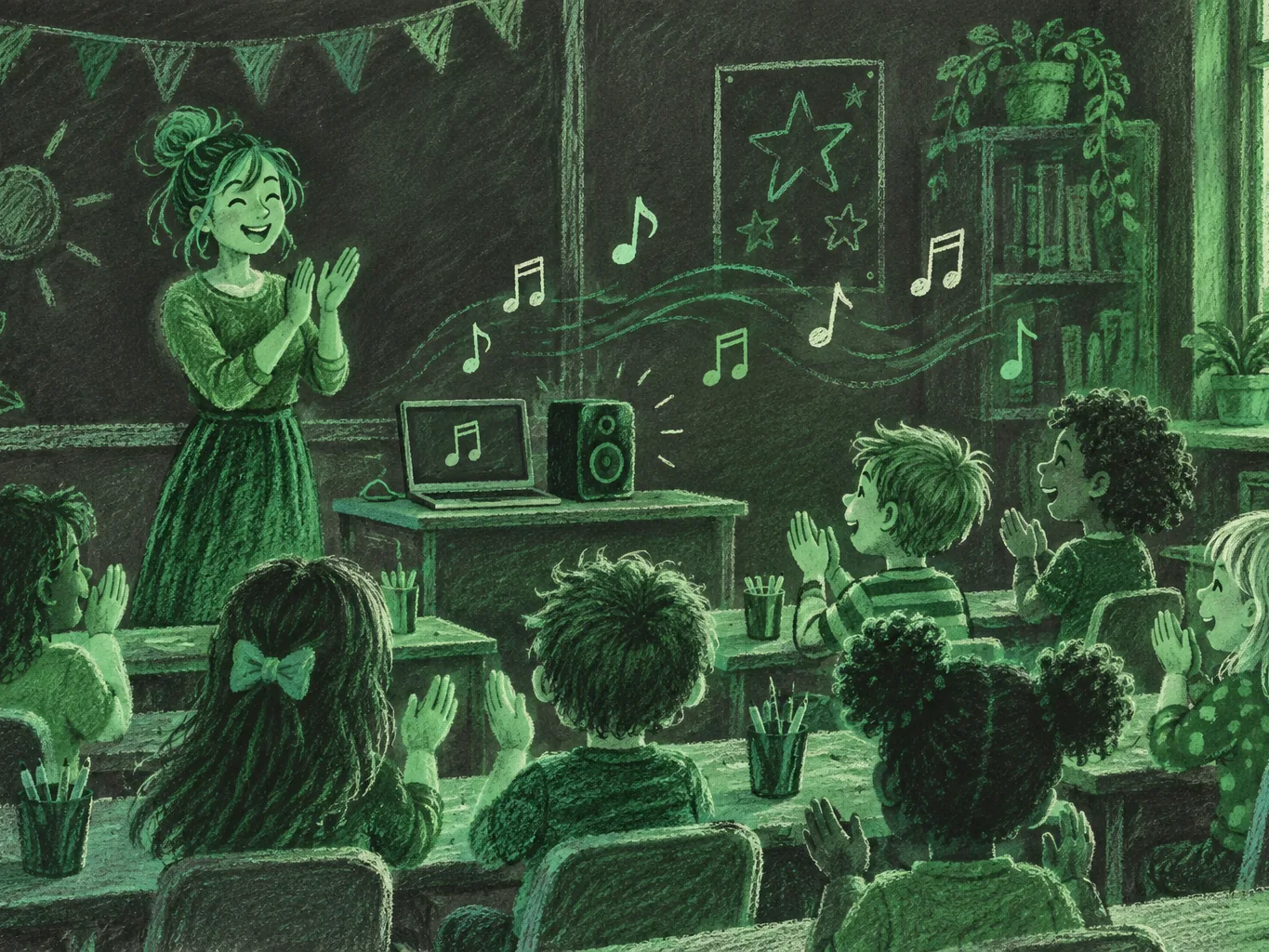
Facts set to a tune stick far better than facts on a worksheet. Create a song about the topic you are teaching this week, whether that is the planets, irregular verbs or the stages of the water cycle, and play it at the start of every lesson until the class can sing it back.
The MusicCreator AI song generator turns a short description or your own lesson lyrics into a finished song with vocals, in pop, hip hop, country or any style your pupils enjoy. It works in your desktop or phone browser.
Why teachers create a song for tricky topics
Most adults can still sing the alphabet song, and many remember a jingle from a science lesson. Rhythm and rhyme give the brain a structure to hang facts on, and repetition in a chorus does the revision for you. Teachers have always used songs for this, but finding one that covers exactly your topic, at your pupils' level, is hard. Writing and recording one yourself takes time no teacher has.
When you create a song with AI, that changes. You decide the facts that go in, and the tool handles the melody, the arrangement and the singing.
Videos that cover half the topic, use the wrong terms or are pitched at the wrong age.
Your facts, your vocabulary and a style your class wants to hear again.
Songs also help pupils who struggle with written work.
- A child who finds reading lists hard can often sing every line of a chorus after a few days.
- Quieter pupils join in with a group song when they would never answer a question alone.
- Many teachers find a song becomes part of the class identity: pupils ask for it, sing it in the corridor and teach it to younger siblings at home, which is exactly the kind of revision no worksheet can buy.
How the AI song generator builds a lesson song
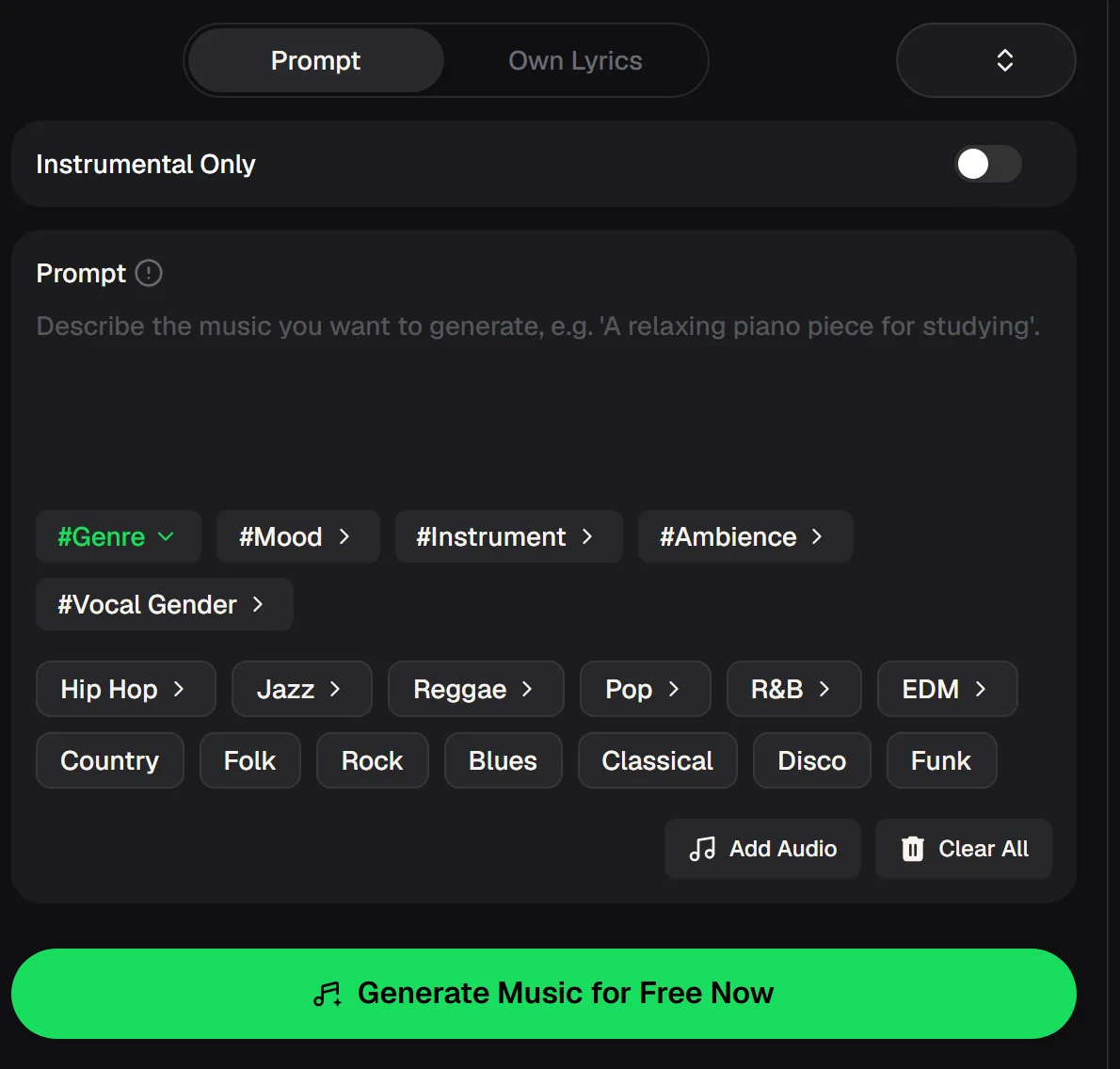
The AI song generator on musiccreator.ai has two modes. Prompt lets you describe the song, for example "upbeat pop song for 8-year-olds about the eight planets in order, catchy chorus". Own Lyrics takes words you have written and sets them to music, which is the better choice when every fact has to be exact.
Tags help you set the sound: #Genre, #Mood, #Instrument, #Ambience and #Vocal Gender, plus genre chips from Hip Hop and Pop to Country, Folk and Classical. An Instrumental Only switch gives you a backing track for the class to sing over. To create a song online you need a free account, and new accounts get free credits.
- Modes
- Prompt or Own Lyrics
- Tags
- Genre, Mood, Instrument, Ambience, Vocal Gender
- Genres
- Hip Hop, Jazz, Reggae, Pop, R&B, EDM, Country, Folk, Rock, Blues, Classical, Disco, Funk
- Backing track
- Instrumental Only switch
- Downloads
- MP3, WAV, FLAC on paid plans; limited for free users
- Account
- Required, free credits to start
Create a song like this with MusicCreator
This sample was made with MusicCreator and shows the kind of vocals and production you can expect. When you create a song for a lesson, it will sound different because it follows your topic and your class: a bouncy pop track for younger pupils, a hip hop beat for a history timeline with older students, a calm folk song for a reading unit.
Pick the style that matches the energy you want in the room, and keep the tempo moderate so every word is clear. If a first version rushes the words, generate again and ask for a slower tempo in the prompt.
Turn the facts into a song your class will hum on the way out. Start free with credits after a quick sign-up.

Lesson song ideas by subject
Create a song from the facts pupils keep forgetting. The middle column is a MusicCreator prompt idea; switch to Own Lyrics when you want exact wording. The right column is what to put in the chorus, because that is the part pupils hear most often and remember first. Keep verses for examples and explanations, and leave the chorus for the facts that matter on the test.
| Subject | MusicCreator prompt idea | Facts to put in the chorus |
|---|---|---|
| Maths | Upbeat hip hop, clear vocals, steady beat | The 7 times table, one line per fact |
| Science | Bright pop, sing-along chorus | Evaporation, condensation, precipitation, collection |
| Languages | Gentle folk, slow tempo | Days of the week or colours in the target language |
| Geography | Country, cheerful, acoustic guitar | The continents and oceans |
| History | Funk groove, call-and-response | Key dates in a timeline |
From lesson plan to class sing-along
Plan it like any other resource: decide what pupils must remember, then create a song around it. Ten minutes of preparation is enough to create a song you reuse every year.
Keep the lyrics short and the chorus repetitive; a chorus pupils hear five times in one play is the part that sticks. Save the songs that work in a folder by topic, and share them with colleagues teaching the same year group.
Pick the key facts
Choose four to eight facts that fit in a chorus and a couple of verses.
Describe or write
Use Prompt for a quick draft, or Own Lyrics when the wording must be exact.
Choose the sound
Add a genre, mood and vocal gender tag that suit your class.
Check and play
Listen carefully for accuracy and clear words, then play it at the start of each lesson that week and again before the test.
Create a song: questions from teachers
Is it free to create a song?
Yes, you can create a song for free to start once you have an account, and new accounts get free credits. Paid plans can download MP3, WAV and FLAC, while free users can download only a limited number.
How do I make sure the facts are right?
Create your own song lyrics in Own Lyrics mode, then listen through once before class. With Prompt mode the tool writes its own words, so always check them against your lesson.
Can I get a version without vocals?
Yes. Switch on Instrumental Only to get a backing track, so the class can sing the words themselves from a printed sheet.
Which style works best for children?
Pop, country and folk with a clear vocal and a moderate tempo are easy to follow. Older students often respond well to hip hop for lists and timelines.
Can I share the song with other teachers or online?
Monthly and annual members have commercial rights within the scope of the Commercial License. Licence certificates cost 5 credits per song for monthly members, are included for annual members, and cost 5 credits per song for Pay Once users.
Make the Lesson Stick
Turn the facts your class keeps forgetting into a song they will sing back to you. Start free with credits after a quick sign-up.