MusicCreator
AI Music Creation
Does fast music change how quickly you type, or do lyrics make a word list harder to remember? A fair test needs tracks that differ in one thing only. This science-fair track path lets you make your own matched instrumentals, the same calm piano at two tempos or with and without lyrics, so the music is part of your method instead of a guess.
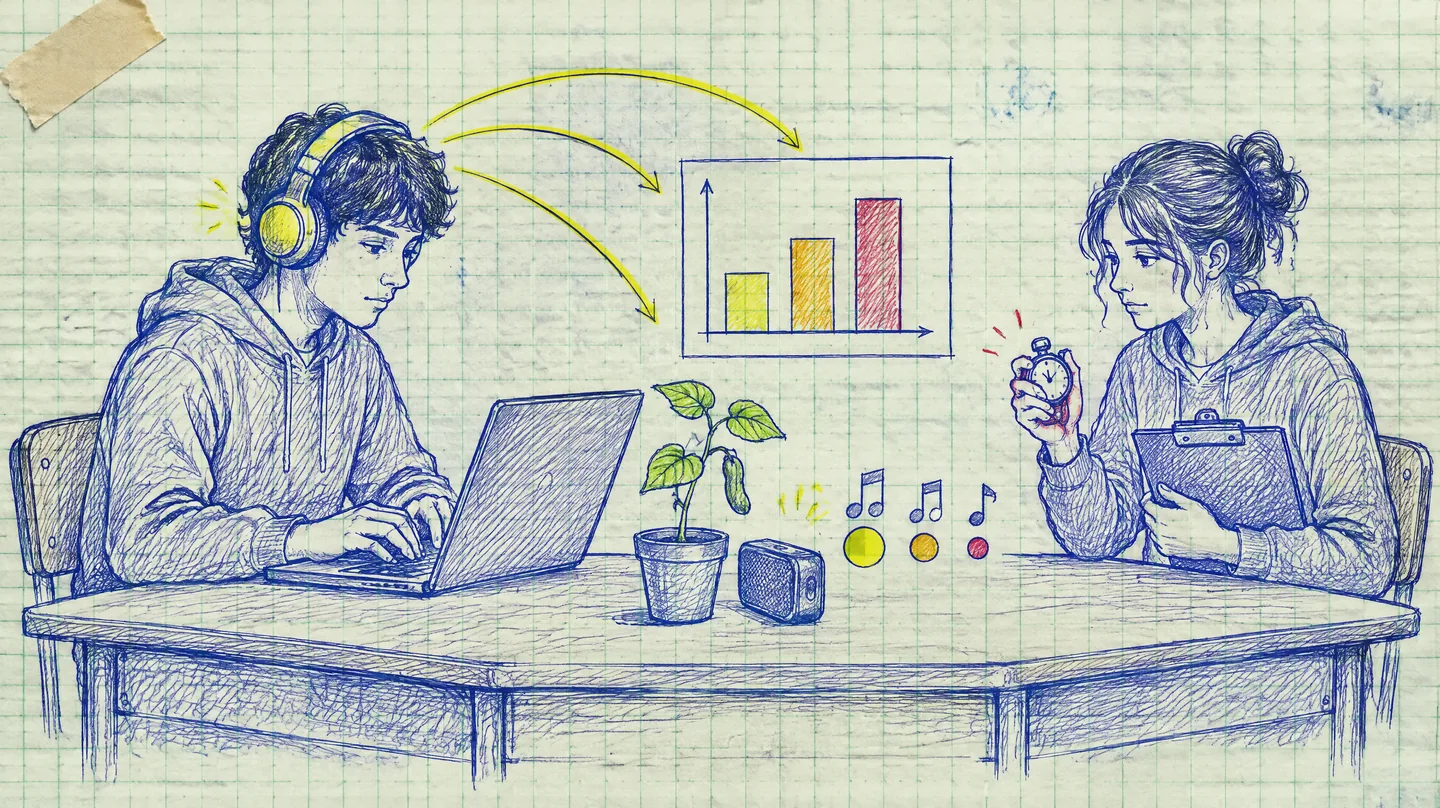
- MatchOne variableKeep the rest fixed
- CheckBPM tapLog the real tempo
AI Music Creation Science Fair Projects
Creators reach for this this science-fair track path path when they need a listen-ready draft without rebuilding a session from scratch.
Memory and word lists
Play a track while people study a list, then count how many words they recall. Compare instrumental with the same track sung.
Typing or reaction time
Time a typing test or a reaction game with slow music, fast music and silence as the three conditions.
Heart rate after listening
Measure resting pulse before and after a few minutes of a slow track and a fast one.
Mood ratings
Ask listeners to rate how calm or energetic they feel after each track on a simple scale.
Plants and sound
A classic project: grow matched plants with different tracks playing nearby and with no music, and record growth each day.
Why Make Your Own Tracks
Two songs from a playlist differ in tempo, singer, words, loudness and how much each person likes them. Any result could come from any of those.
Tracks from this science-fair track path with the same prompt start much closer, and nobody has heard them before, so familiarity is less of a factor.
What Each AI Music Creation Project Changes
Creators reach for this this science-fair track path path when they need a listen-ready draft without rebuilding a session from scratch.
| Tempo | Lyrics | Genre | |
|---|---|---|---|
| Memory and word lists | – Fixed | ✓ Change | – Fixed |
| Typing or reaction time | ✓ Change | – Fixed | – Fixed |
| Heart rate after listening | ✓ Change | – Fixed | – Fixed |
| Mood ratings | – Fixed | – Fixed | ✓ Change |
| Plants and sound | – Fixed | – Fixed | ✓ Change |
Silence is a useful extra condition for almost every project. It shows whether any music makes a difference before you compare one kind with another, and it costs no credits.
A Matched AI Music Creation Prompt, Part by Part
Creators reach for this this science-fair track path path when they need a listen-ready draft without rebuilding a session from scratch.
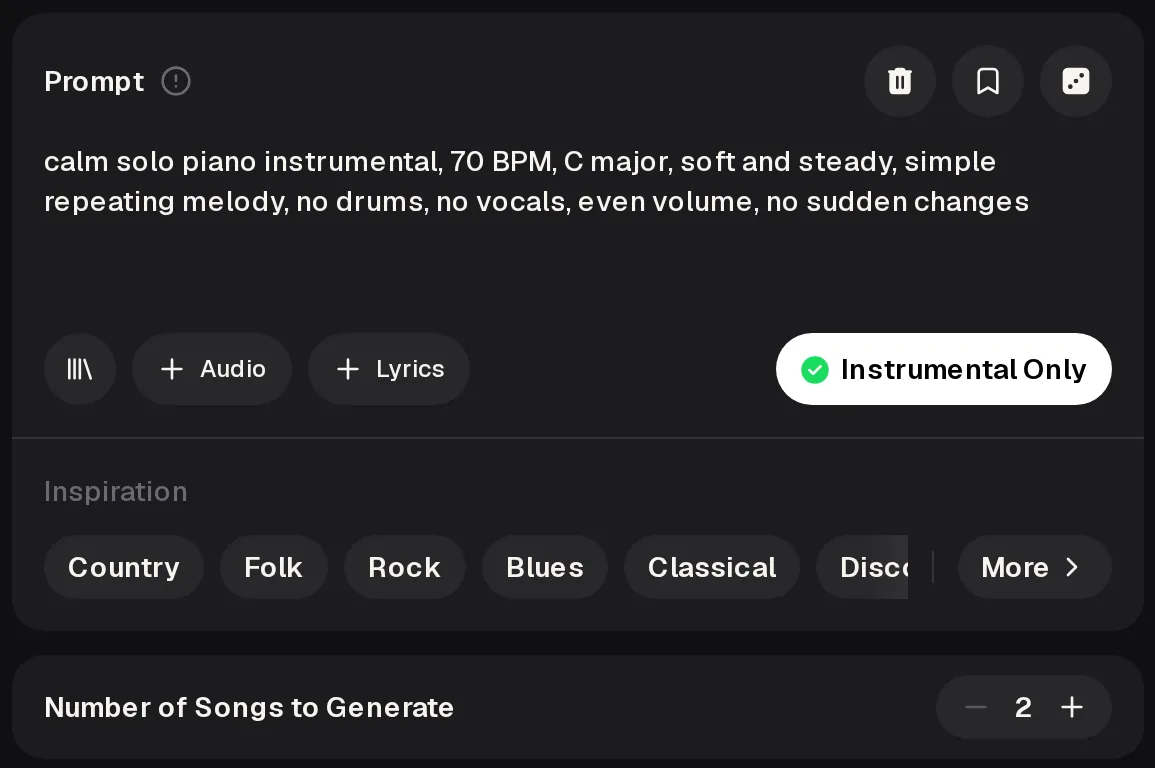
calm solo piano instrumental 70 BPM C major, soft and steady, simple repeating melody no drums, no vocals, even volume, no sudden changes
- Sound One instrument keeps the tracks easy to compare.
- Variable The only part you edit, here 70 BPM or 130 BPM.
- Fixed parts Key, mood and melody style do not change at all.
- Removed Drums, vocals and big changes that could distract.
For a lyrics test, keep the same sound and tempo, switch off Instrumental Only, and add simple lyrics with no story that could help or hurt memory. Save every prompt you use in your lab notebook.
Set Up AI Music Creation in the Generator
Creators reach for this this science-fair track path path when they need a listen-ready draft without rebuilding a session from scratch.
- Prompt Paste the matched prompt with the variable filled in.
- Instrumental Only Switch it on for every track that should have no singing.
- Number of Songs to Generate Starts at 2, so you can keep the take that matches your plan best.
- Generate Make the first condition, then copy the prompt, change one value and generate again.
Need Slow and Fast AI Music Creation Versions?
Paste your matched prompt, change only the BPM, and generate each condition as its own track for your experiment.
Create the ConditionsCheck Tempo Before AI Music Creation Tests
Creators reach for this this science-fair track path path when they need a listen-ready draft without rebuilding a session from scratch.
- Play
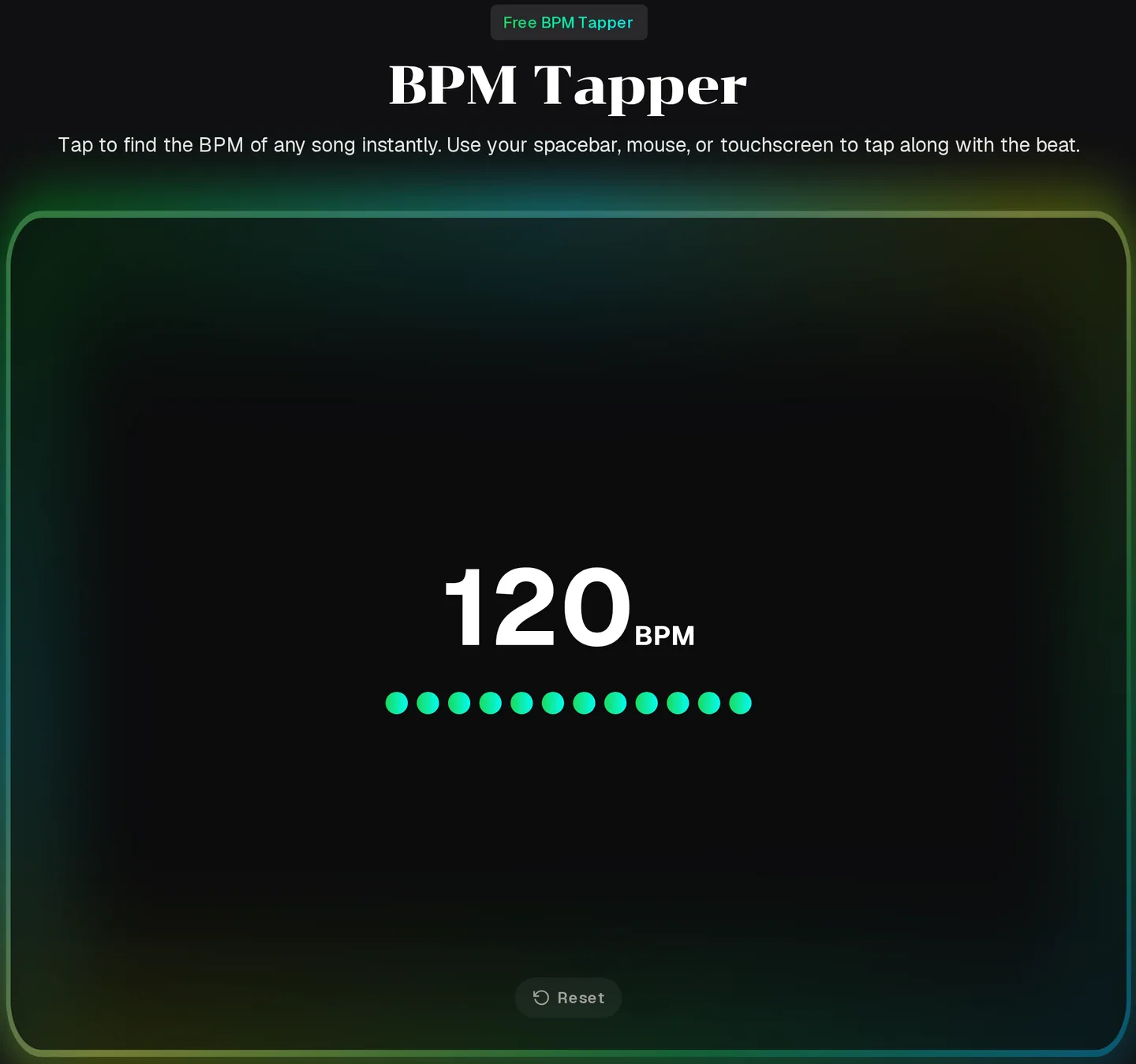
Play the track you made and find the steady beat.
- Tap
Creators reach for this this science-fair track path path when they need a listen-ready draft without rebuilding a session from scratch.
- Reset
Clear it and tap again, then use the number you get twice.
- Log
Write the measured BPM next to the prompt in your notebook. If a take is far from the tempo you asked for, generate again or choose the other take.
Three Matched AI Music Creation Test Tracks
Creators reach for this this science-fair track path path when they need a listen-ready draft without rebuilding a session from scratch.
These tracks were made with the MusicCreator AI Music Generator from our own prompts and lyrics, so your tracks will sound different. The BPM labels are what the prompt asked for, and the melody is not the same in each one, which is why the next sections ask you to check and record.
Tips for a Fair AI Music Creation Test
Creators reach for this ai music creation path when they need a listen-ready draft without rebuilding a session from scratch.
Trim every track to the same length, because generations can come back with different durations.
Play every condition through the same headphones or speaker at the same volume setting.
Change the order of conditions between participants so tiredness does not always hit the last track.
List each track's prompt, measured BPM and length in your methods section so a judge can repeat it.
AI Music Creation: Science Fair Questions
Creators reach for this ai music creation path when they need a listen-ready draft without rebuilding a session from scratch.
Is AI music creation free for a student project?
You can start using AI for music creation for free after a quick sign-up, and the free plan gives you 30 credits a year. Every generation uses credits, so write and check your matched prompts first, then generate each condition. Most projects need only a few conditions, plus silence, which costs nothing. If a class wants to share an account for a bigger study, Pay Once one-time credits are an option without a monthly plan.
Can I make the same song at two tempos?
Not exactly. Each generation creates a new piece, so two tracks from matched prompts will share the sound, key and mood but not the precise melody. Keep the prompt identical apart from the tempo, measure the real BPM of each take with the BPM Tapper, and say in your report that the tunes were similar but not identical. If your project needs one melody at two speeds, an audio editor that changes speed is the better tool for that step.
Do I need approval to test classmates?
Usually yes. Fairs that follow ISEF rules require any study with human participants to be reviewed and approved by an Institutional Review Board before you recruit anyone or collect data, and minors need parental permission as part of consent. Your school or regional fair may have its own form. Ask your teacher or adult sponsor early, because approval can take time, and plant projects avoid this step entirely.
Can I use the tracks on my board and in a video?
Songs you make are yours to use within the scope of the Commercial License, so you can play them at your stand, add them to a project video or share them with judges. Put a short note on your board that says the tracks were made with AI music creation and how you chose them. If you film participants, follow your school's photo and consent rules.
Which file format should I download?
When you use AI for music creation, paid plans download MP3, WAV and FLAC, and free users can download only a limited number of files, so pick your takes before you download. WAV or FLAC keeps the full quality, which helps if you trim tracks to the same length in an editor. MP3 is fine for playing from a phone or laptop during the test, as long as every condition uses the same format.
Make AI Music Creation Part of Your Method
Use AI music creation to make matched tracks that change one thing, check the tempo you really got, and write it all down so your results hold up.
A/B two takes before you share.
Free credits after a quick sign-up.