無料のAI BGM 作成ツール
3つの簡単なステップであなたのBGMを作成
以下の3つの簡単なステップに従って、あなたのBGMを作成してください。 私たちの直感的なAIが、そのプロセスを迅速かつ簡単にします。
BGMのメロディーを描写し、楽器を選択
「勉強用の静かなピアノメロディー」や「Vlog用のアップビートな電子シンセ」のように、プロンプトを入力するだけです。 次に、希望の楽器を選択します。 AI BGM作成ツールに詳細な情報を与えるほど、より良い結果が得られます。
数秒で生成
私たちの強力なBGM AIは、すぐに作業を開始します。 ほとんどの音楽は60秒以内に生成されるため、オンラインで見つけられる最速のBGMメーカーです。
音楽をダウンロードして使用
生成されたBGMをプレビューします。 気に入ったら、すぐに高品質のオーディオファイルをダウンロードしてください。 ビデオ、ゲーム、または個人のプロジェクトですぐに使用できます。
BGMメーカー
なぜ私たちのBGM AIを選ぶのですか?
クリエイター、マーケター、ミュージシャンに最適なAI BGM 作成ツールの強力な機能をご覧ください。
豊富な楽器ライブラリ
数十種類の高品質な楽器からお選びいただけます。 私たちのAI BGM 作成ツールは、ソフトなピアノやアコースティックギターから、パワフルなドラムや未来的なシンセまで、あらゆるものを作成でき、完全な創造的コントロールを提供します。

驚くほど速いBGM作成ツール
インスピレーションを待たせないでください。 私たちのAI BGM 作成ツールは、1分以内にあなたの音楽を届けます。 今すぐ音楽が必要な、締め切りが迫っているクリエイターにとって最適なツールです。
スタジオ品質の出力
すべての音楽は鮮明でクリア、そしてプロフェッショナルにミックスされています。 私たちの目標は、本物のレコーディングスタジオから来たかのようなサウンドのオーディオを提供することで、最高のAI BGM 作成ツールになることです。

シンプルで直感的
ミュージシャンでなくてもBGMクリエーターになれます。 私たちのAI BGM 作成ツールは、誰でも使えるように設計されています。 入力して、クリックして、作成するだけです。 あなたの音楽のアイデアを簡単に実現できます。
最高のBGM AI
あらゆるプロジェクトに最適なBGM作成ツール
コンテンツクリエーター、ゲーム開発者、映画制作者のいずれであっても、当社のAI BGM 作成ツールは完璧なサウンドトラックを提供します。 無限の可能性を探り、当社のBGM AIがあなたのプロジェクトをどのように向上させることができるかをご覧ください。
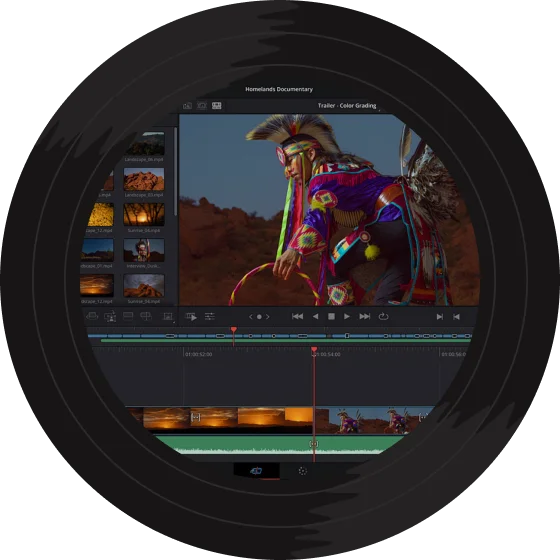
ビデオ用のBGM
YouTubeビデオ、Vlog、またはソーシャルメディアコンテンツを向上させます。 私たちのAI BGM 作成ツールは、魅力的でアップビートなものから、穏やかで集中できるものまで、完璧なムードを作り出し、視聴者を夢中にさせます。

没入感のあるゲームサウンドトラック
プレイヤーのために豊かで雰囲気のある世界を構築します。 私たちのBGMメーカーを使用して、ゲームプレイを強化し、真に没入感のある体験を生み出すダイナミックなBGMを生成します。

映画のための映画音楽
あなたの物語の感情的なトーンを設定します。 短編映画やアニメーションのために、パワフルまたは繊細なスコアを作成します。 私たちのBGM AIは、音楽を通してより良い物語を語るのに役立ちます。
個人的なプロジェクトと集中
勉強、リラックス、または個人的なプレゼンテーションのためにカスタムトラックが必要ですか? このBGMメーカーは、あなたが必要なときにいつでも必要なサウンドを正確に作成する準備ができている、あなたの個人的な作曲家です。

よくある質問
AIはBGMを生成できますか?
もちろんです! AI技術は著しく進歩し、高品質なBGMの作成が可能になりました。 私たちのmusiccreator.aiは、強力なAI BGM 作成ツールを備えています。 テキストプロンプトを入力し、お好みの楽器を選択するだけで、私たちのシステムがあなたのためにユニークなトラックを作曲します。 このツールは、あなたの個人的なBGMメーカーとして機能し、あなたの創造的なアイデアをわずか数秒でオーディオに変換します。 あらゆるスキルレベルのクリエイター向けに設計されています。
AIが生成した音楽は違法ですか?
musiccreator.aiのAI BGM 作成ツールで作成された音楽は、完全に合法的に使用できます。 生成されたトラックにはロイヤリティフリーのライセンスが付与されており、著作権の問題を心配することなく、個人および商用プロジェクトで使用できます。 私たちのBGMメーカーは、オリジナルの楽曲を制作するように設計されており、安心感を与えます。
AIに曲を生成してもらうには?
musiccreator.aiを使えば、カスタム音楽を簡単に手に入れることができます。 まず、当社のAI BGM 作成ツールに移動します。 次に、プロンプトボックスに思い描くムード、ジャンル、またはシーンを記述し、希望の楽器を選択します。 最後に、「生成」をクリックします。 当社の高度なBGMメーカーがあなたのリクエストを処理し、1分以内にユニークな楽曲を作曲します。 あなたの音楽のアイデアを最も簡単に実現する方法です。
オーディオを生成するAIとは何ですか?
オーディオを生成するAIは、テキストなどのユーザー入力から新しいサウンドファイルを作成するために機械学習を使用するシステムです。 musiccreator.aiは、このテクノロジーの特殊な例であり、強力なAI BGM 作成ツールとして機能します。 一般的なサウンドの代わりに、私たちのプラットフォームは音楽の作曲に焦点を当てています。 あなたが創造的な方向性を提供し、私たちのBGMメーカーは、訓練されたモデルを使用して、あなたの仕様に合わせた完全で高品質なBGMトラックを制作します。

初めてのBGMを作成する準備はできましたか?
無料のAI BGM 作成ツールを使用している何千人ものクリエイターの仲間入りをしましょう。 今すぐ始めて、1分以内に最初のカスタムBGMを手に入れましょう。